Need help with Vuukle?🤔
This is the place you are looking for!
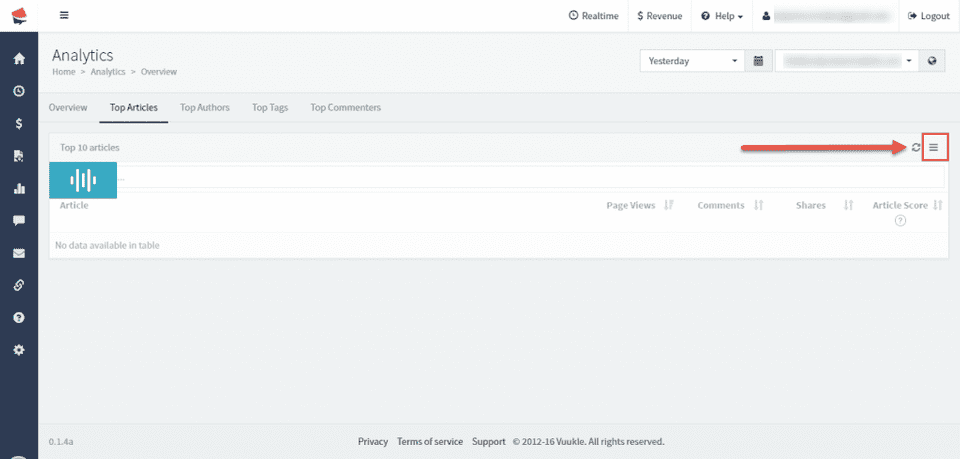
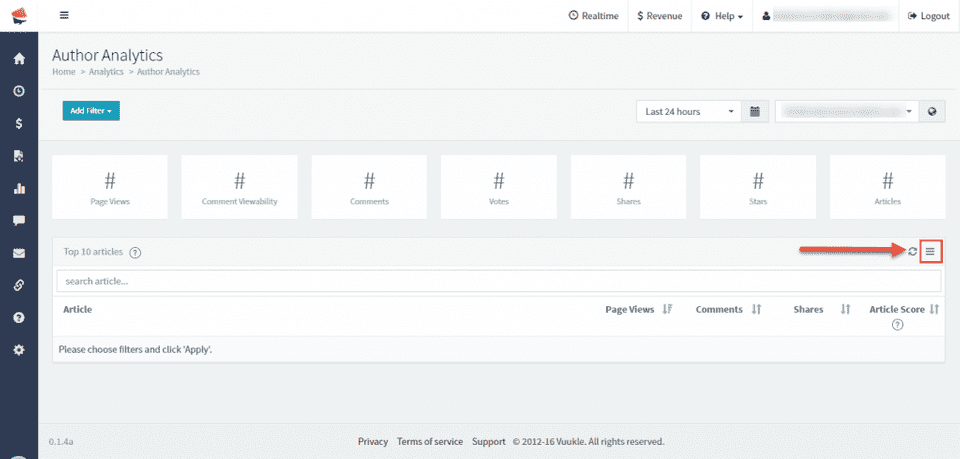
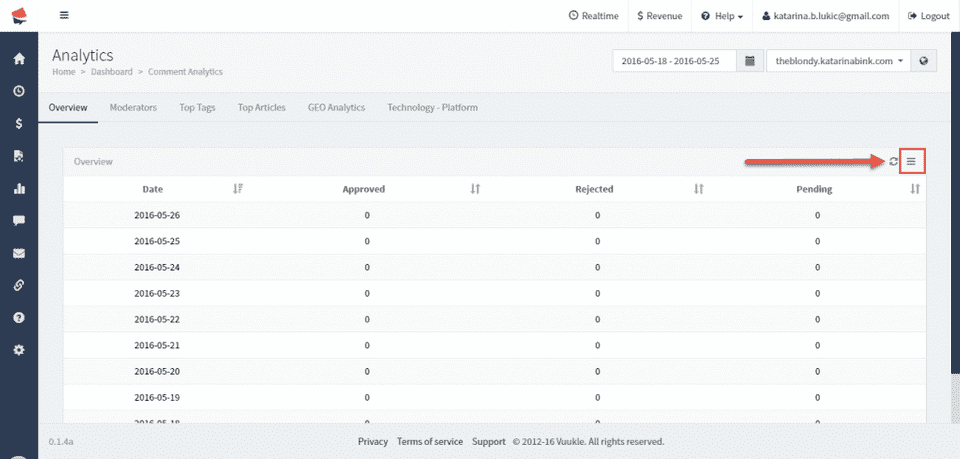
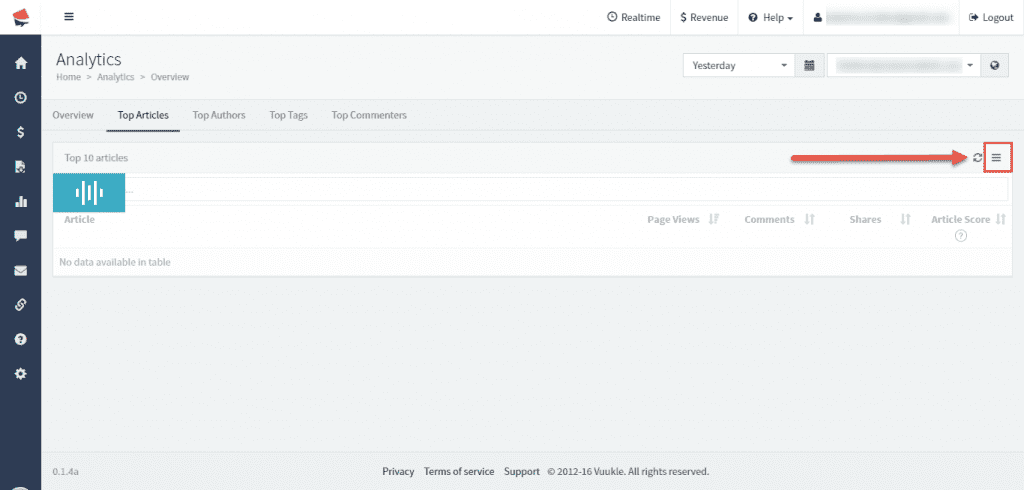
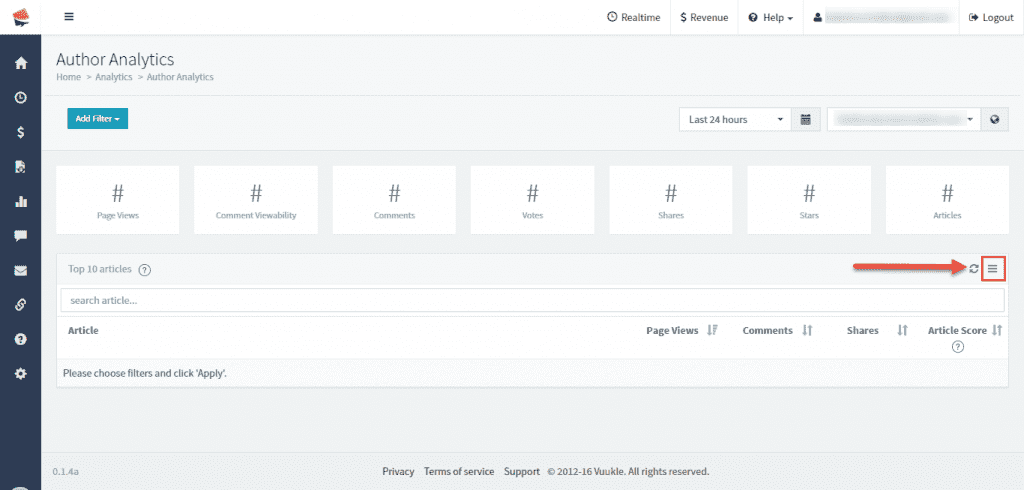
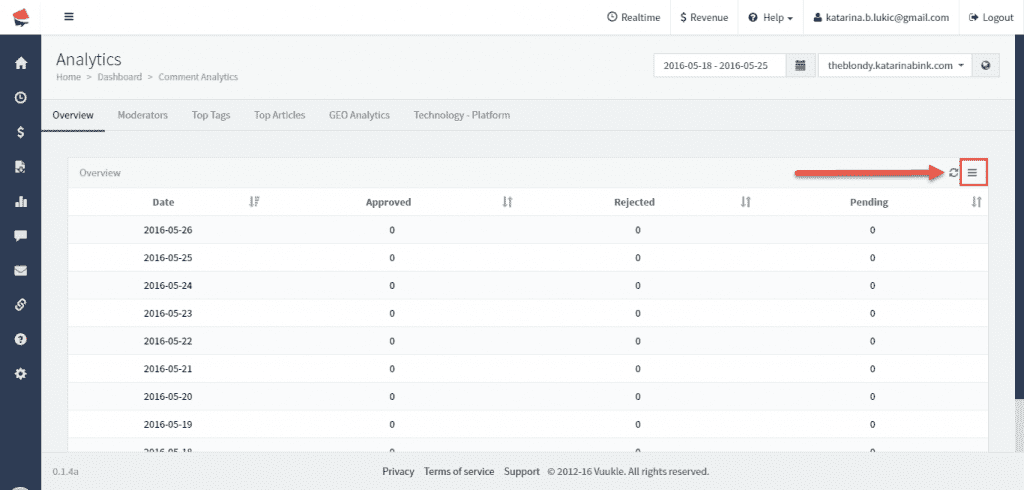
At any moment, you can export data in excel using Vuukle dashboard. You can do this for most of the tables you see in Analycs section. Just look for tree-lines icon on the right side of the header.
How to export data to excel – Screenshots
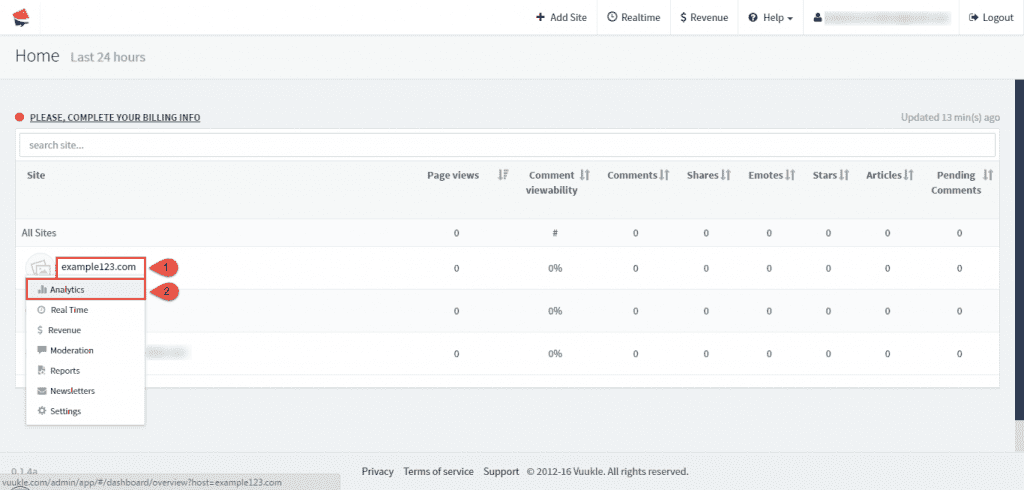
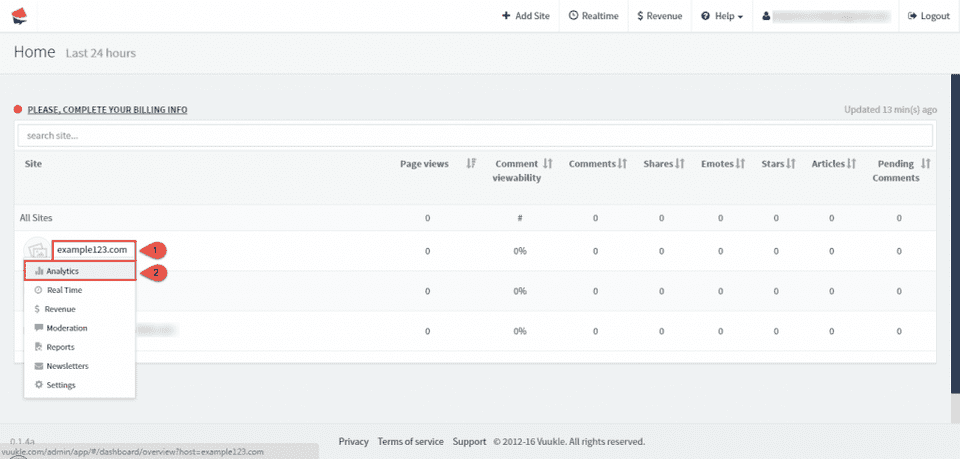
- Go to Vuukle home page, choose your site, and click on Analytics.
-
When viewing any data under Analytics section, clicking on three-lined icon on the right side of the table header will give you options to export data to excel. See images bellow for examples.