Need help with Vuukle?🤔
This is the place you are looking for!
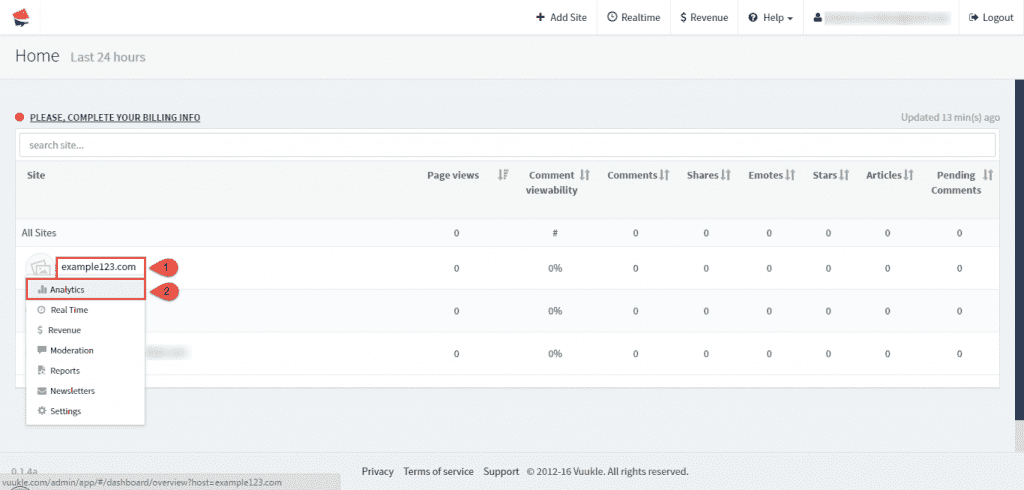
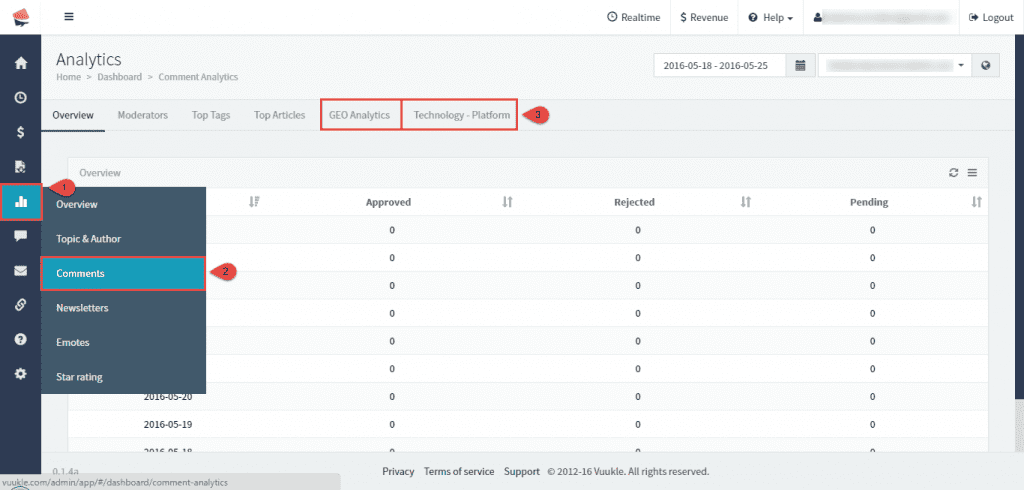
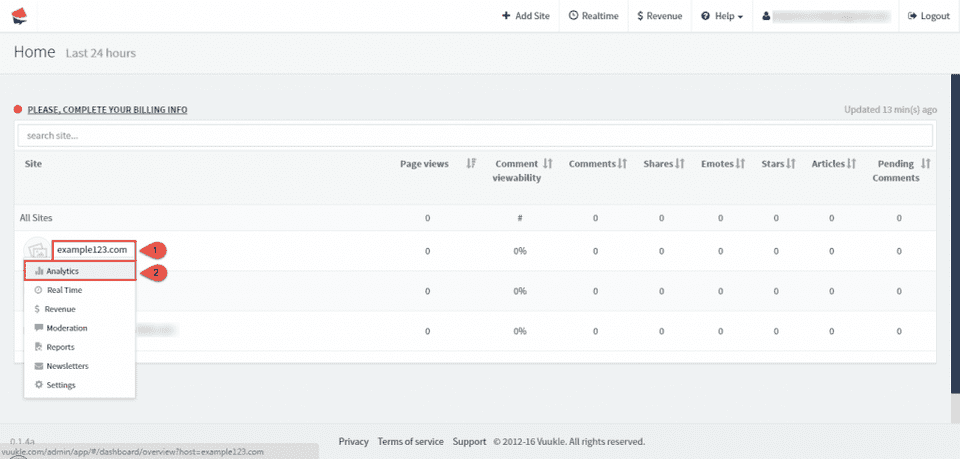
To find out data about commenters, go to home page of Vuukle Dashboard, select your site, and click on Analytics. Click on Analytics icon on the left and choose Comments from submenu. There are two tabs related with data about commenters:
- GEO Analytics Here you can find data about users geographical location. You can view these data grouped by countries or cities.
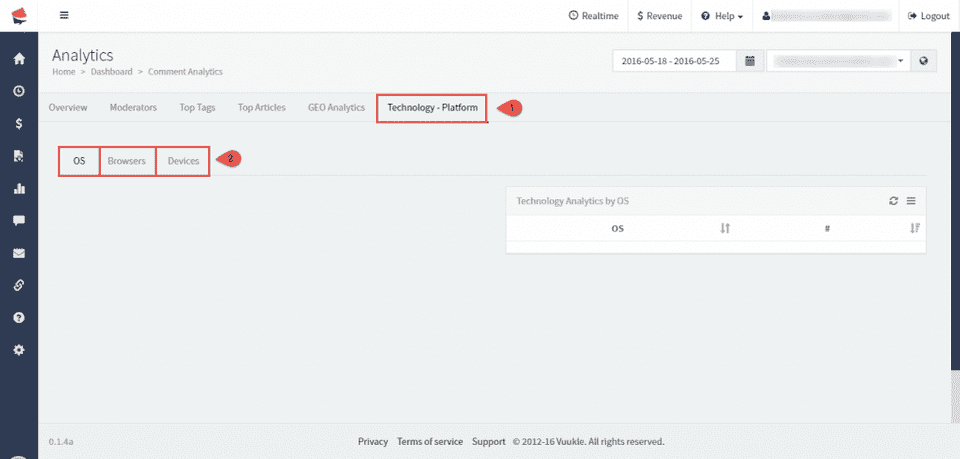
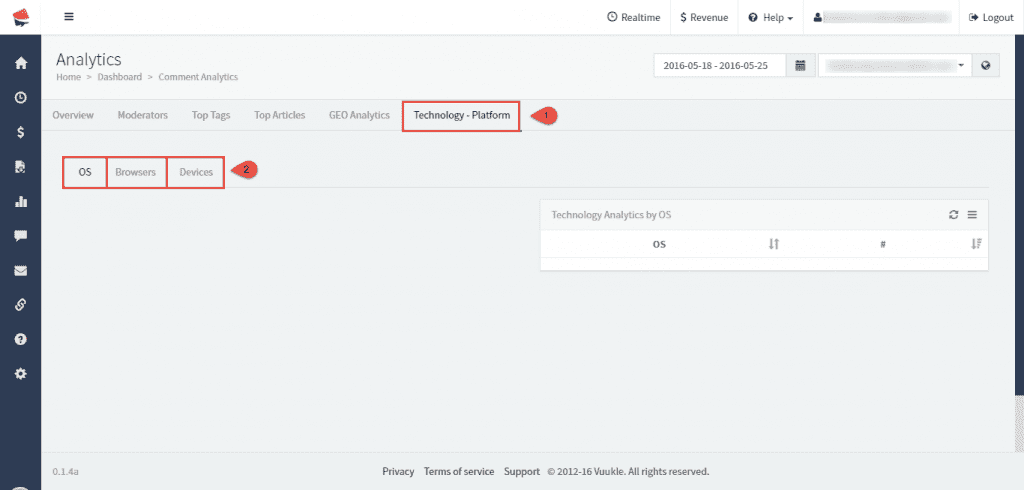
- Technology – Platform Under this tab you can see which OS, browsers and devices your visitors are using.
Find out data about commenters – Step by step instructions with screenshots
- Go to home page of Vuukle Dashboard, select your site, and click on Analytics.
- Click on Analytics icon on the left and choose Comments from submenu.
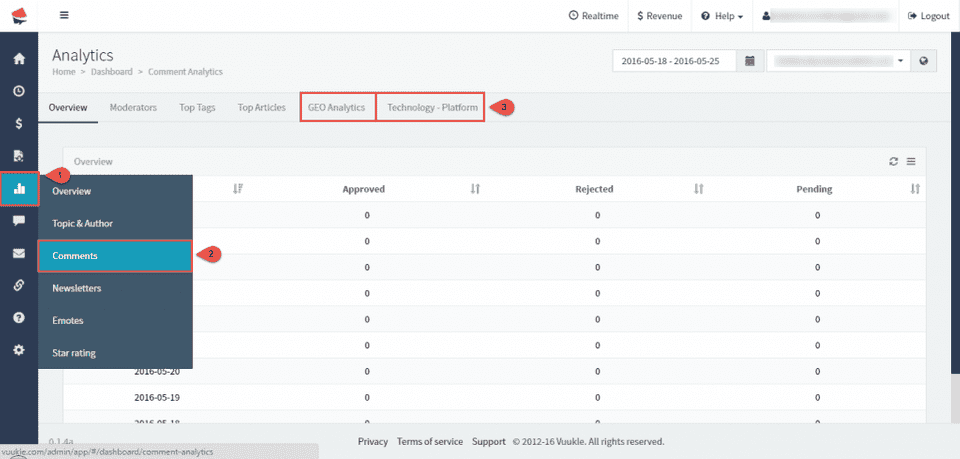
- Click on GEO Analytics tab. You can view data by countries or cities.
- Click on Technology-Platform. You can view data by OS, browsers, devices.