Need help with Vuukle?🤔
This is the place you are looking for!
Analytics: How to identify top articles, tags, authors or commenters?
how toidentifytopUpdated over a month ago
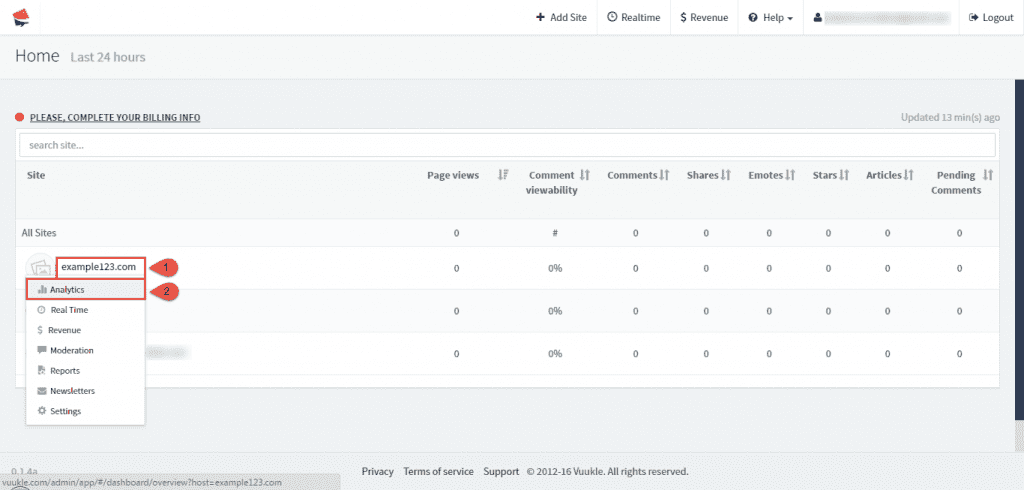
In Vuukle, you can easily identify top articles, tags, authors or commenters. Go to Home page of your Vuukle dashboard, select site where you want to monitor data, and choose Analytics.
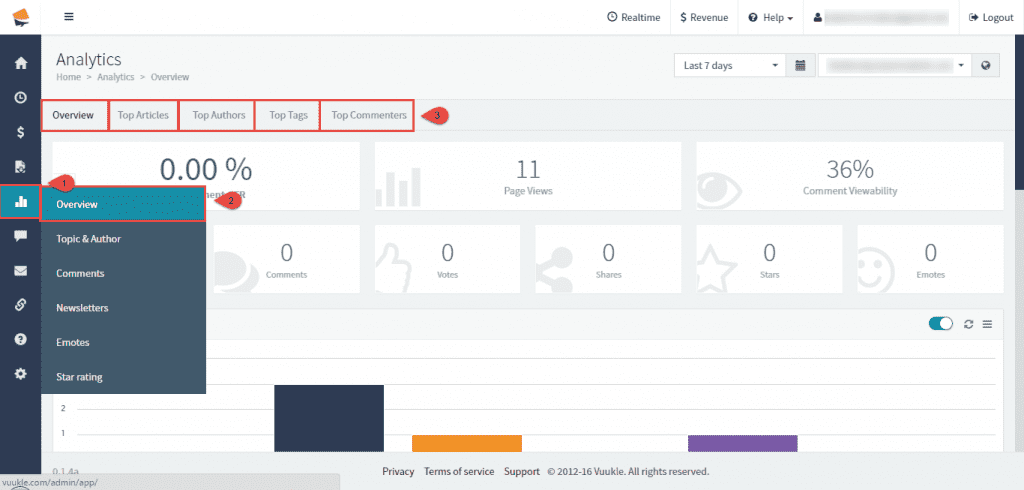
Click on Analytics icon in the menu on the left, and Overview in submenu. Depending on which tab you choose, you will see some of these options:
Overview
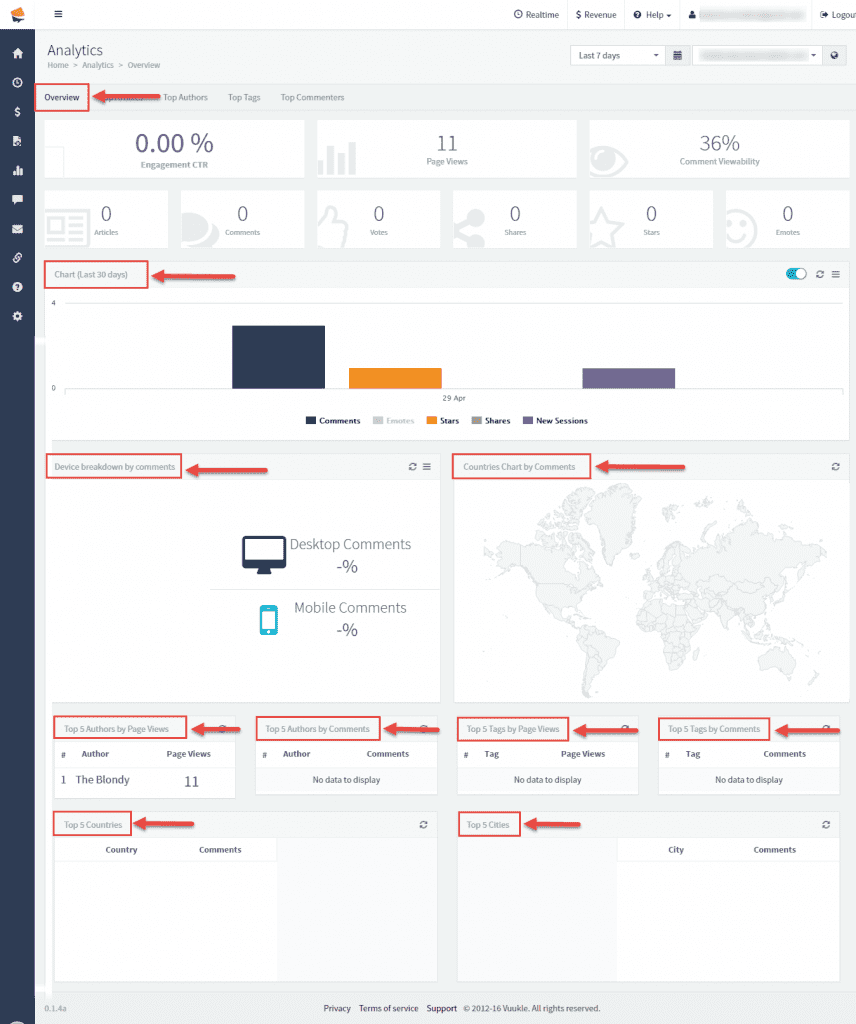
To see all overviews on one side, check Overview tab. Here you can see different statistics, like graph showing comments data in last 30% days, number of comments posted from different devices, top 5 author by page views, top 5 authors by comments, top 5 tags by page views, top 5 tags by comments, top 5 countries and top 5 cities.
Top articles
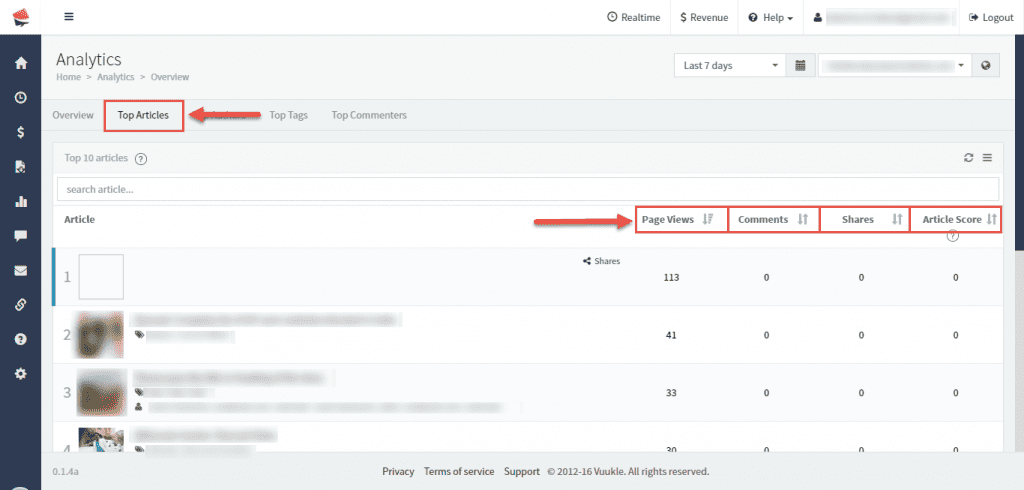
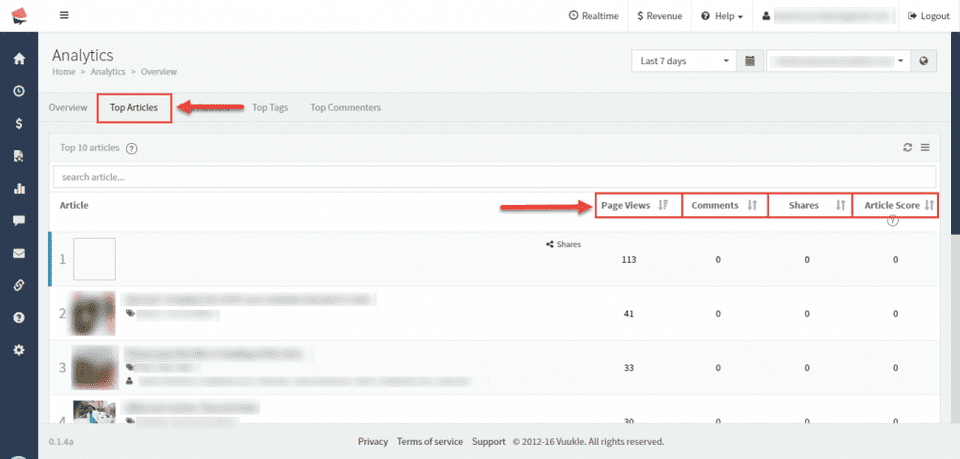
Clicking on Top Articles tab, you will see your articles with most interaction. You can sort this data by article, page views, comments, shares, article score.
Top authors
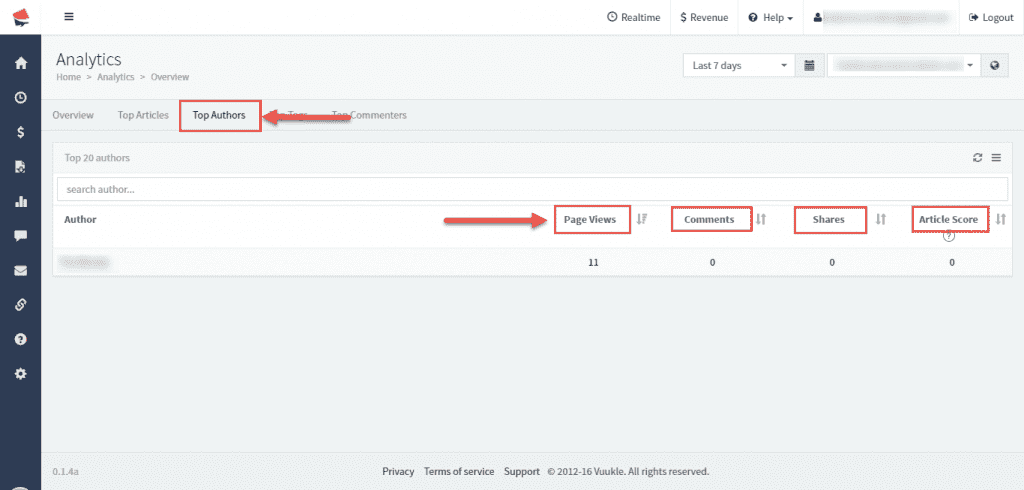
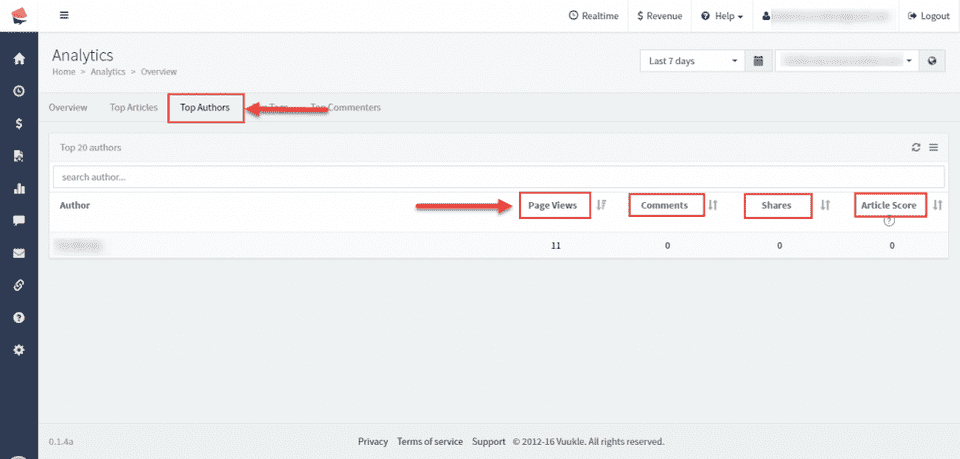
If you choose Top Authors tab, you will see which of your authors creates most visited articles. You can sort this data by page views, shares, article scores.
Top tags
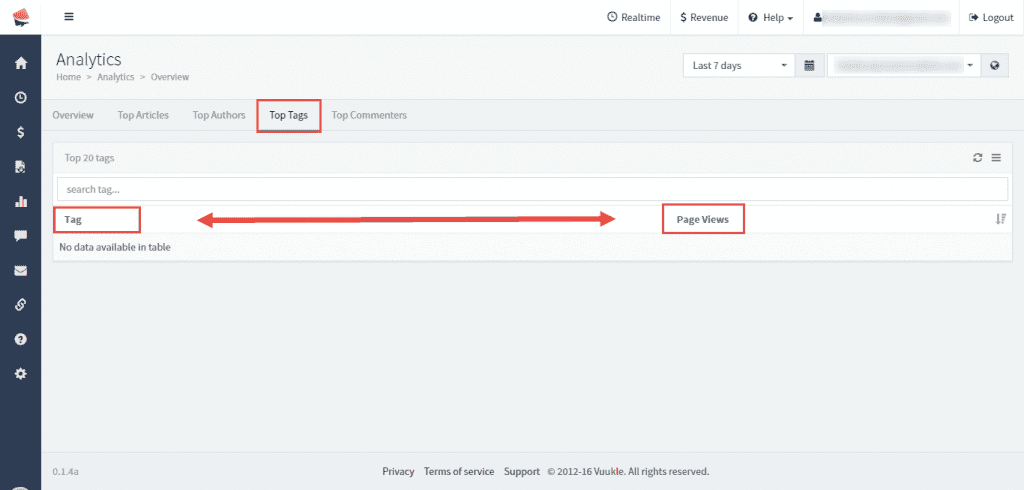
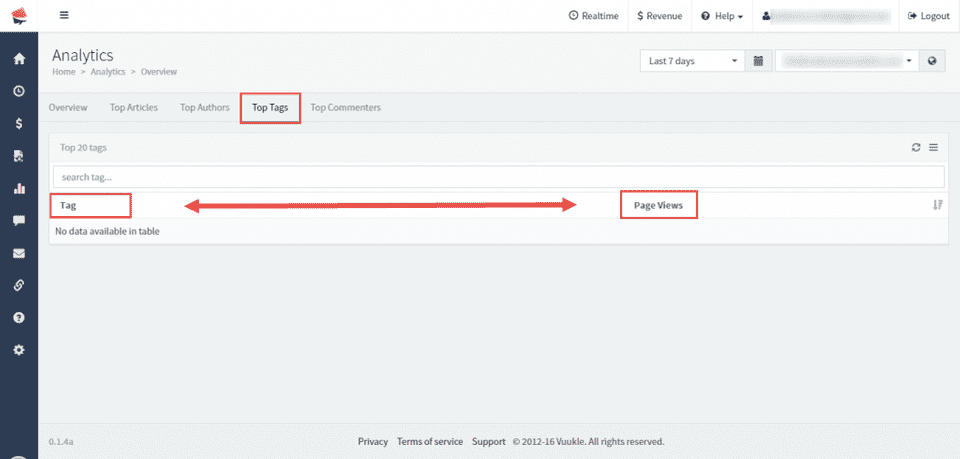
Under Top Tags tab, you can see which tag is most viewed on your site. This data can be sorted by tag name, and number of page views.
Top commenters
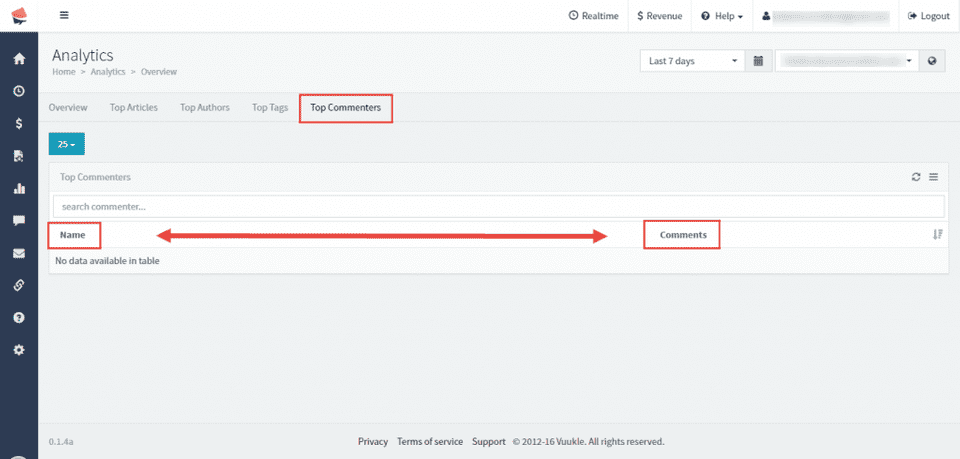
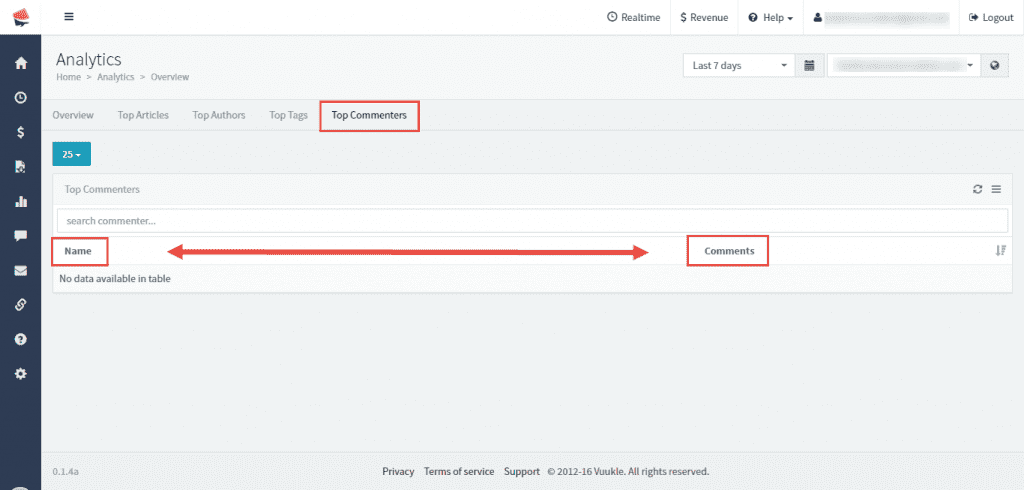
Clicking on Top Commenters tab, you will see which of your users is the most active, and with which comment. You can sort this data by commenters’ name and comment text.
Step by step instructions with screenshots – Identify top articles, tags, authors or commenters
- On Home page of Vuukle dashboard, select site where you want to monitor data, and click on Analytics.
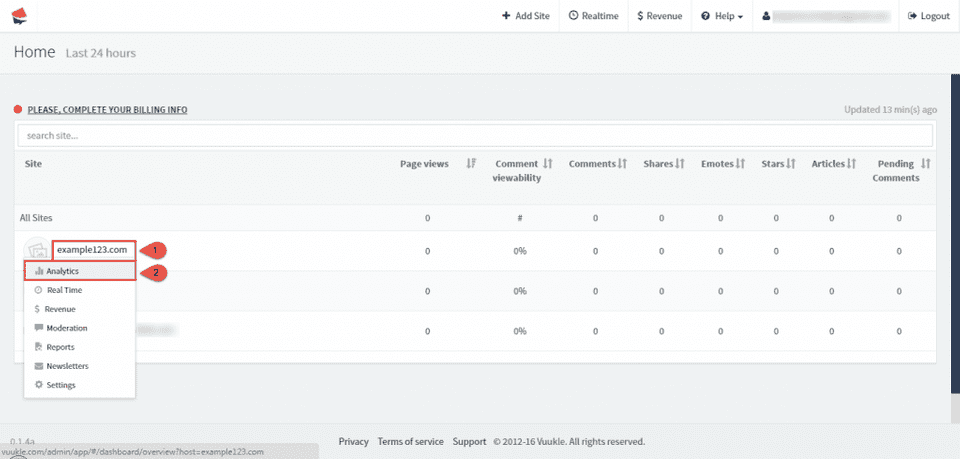
- Click on Analytics icon in the menu on the left, and Overview in submenu.
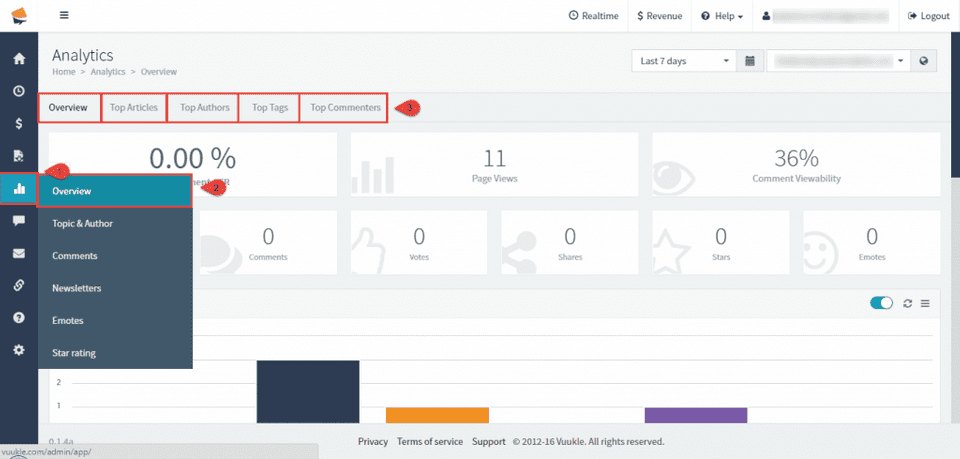
- To see all overviews on one side, check Overview tab.
- Clicking on Top Articles tab, you will see your articles with most interaction.
- If you choose Top Authors tab, you will see which of your authors creates most visited articles.
- Under Top Tags tab, you can see which tag is most viewed on your site.
- Clicking on Top Commenters tab, you will see which of your users is the most active, and with which comment.