Need help with Vuukle?🤔
This is the place you are looking for!
Follow a Commenter
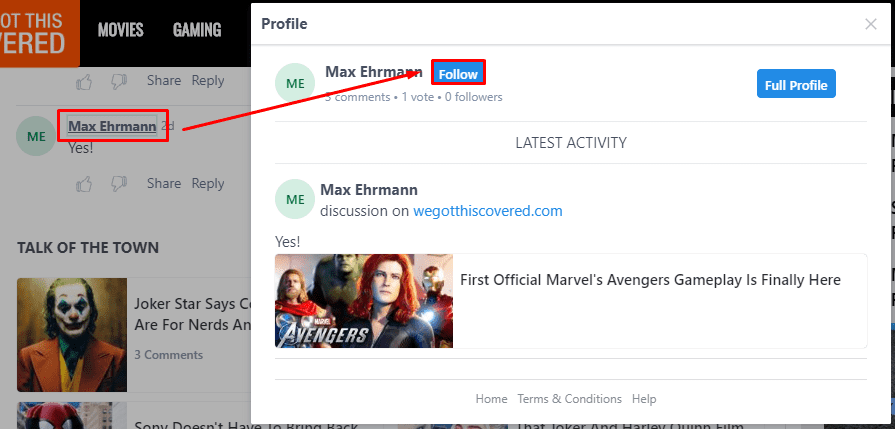
Click commenter’s name, then click “Follow” on the pop-up window
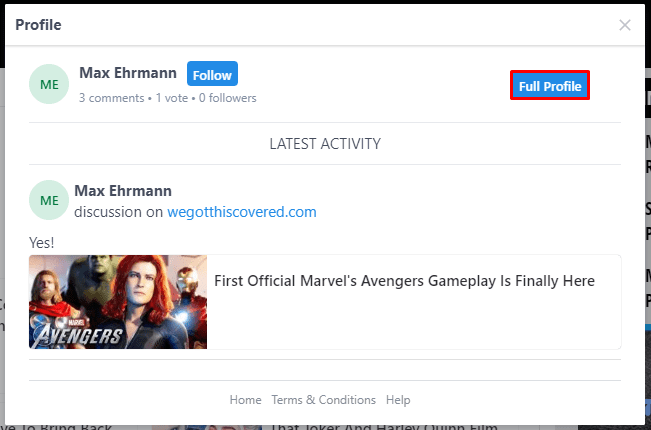
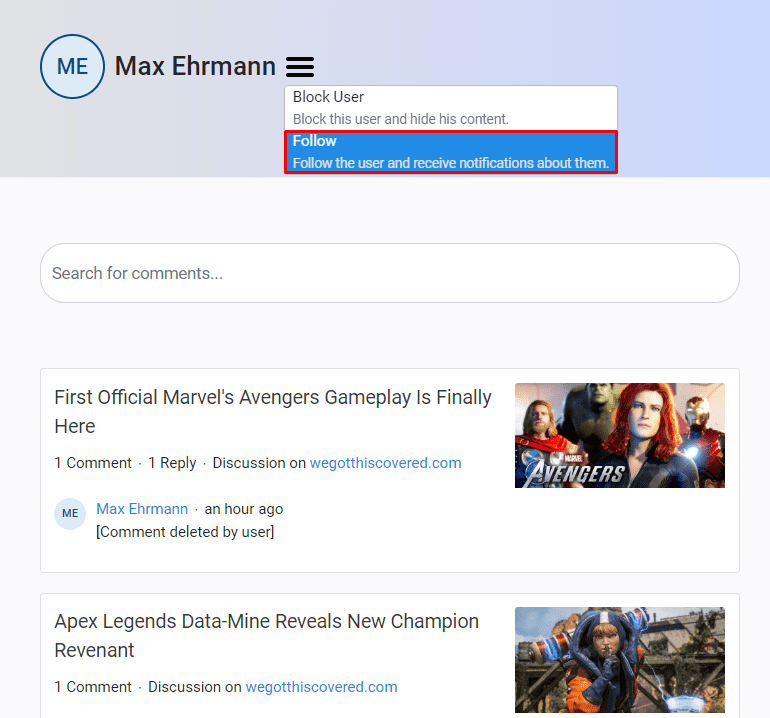
Alternatively, you can check out their profile first, then click the dropdown menu on their profile and select “Follow” from there
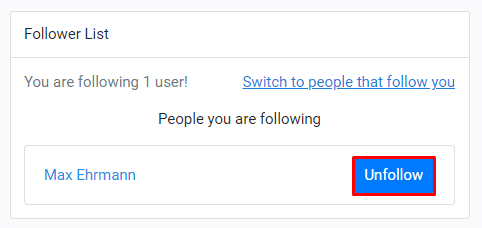
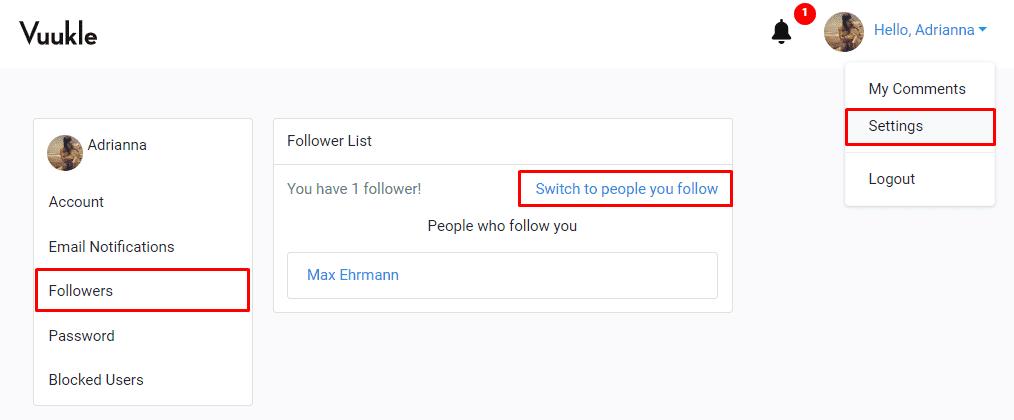
To see the list of people you’ve followed, log in to your Vuukle account, go to Settings, then click the Followers tab as shown below. Here’s the tutorial: Where can I view people I follow?
Unfollow a Commenter
- Log in to your Vuukle account
- Select “Settings” from the avatar dropdown at the top right corner of the screen
- Click the “Followers” tab from the left hand panel
- Click “Switch to people you follow”
- Click “Unfollow” to remove the user from the list