Need help with Vuukle?🤔
This is the place you are looking for!
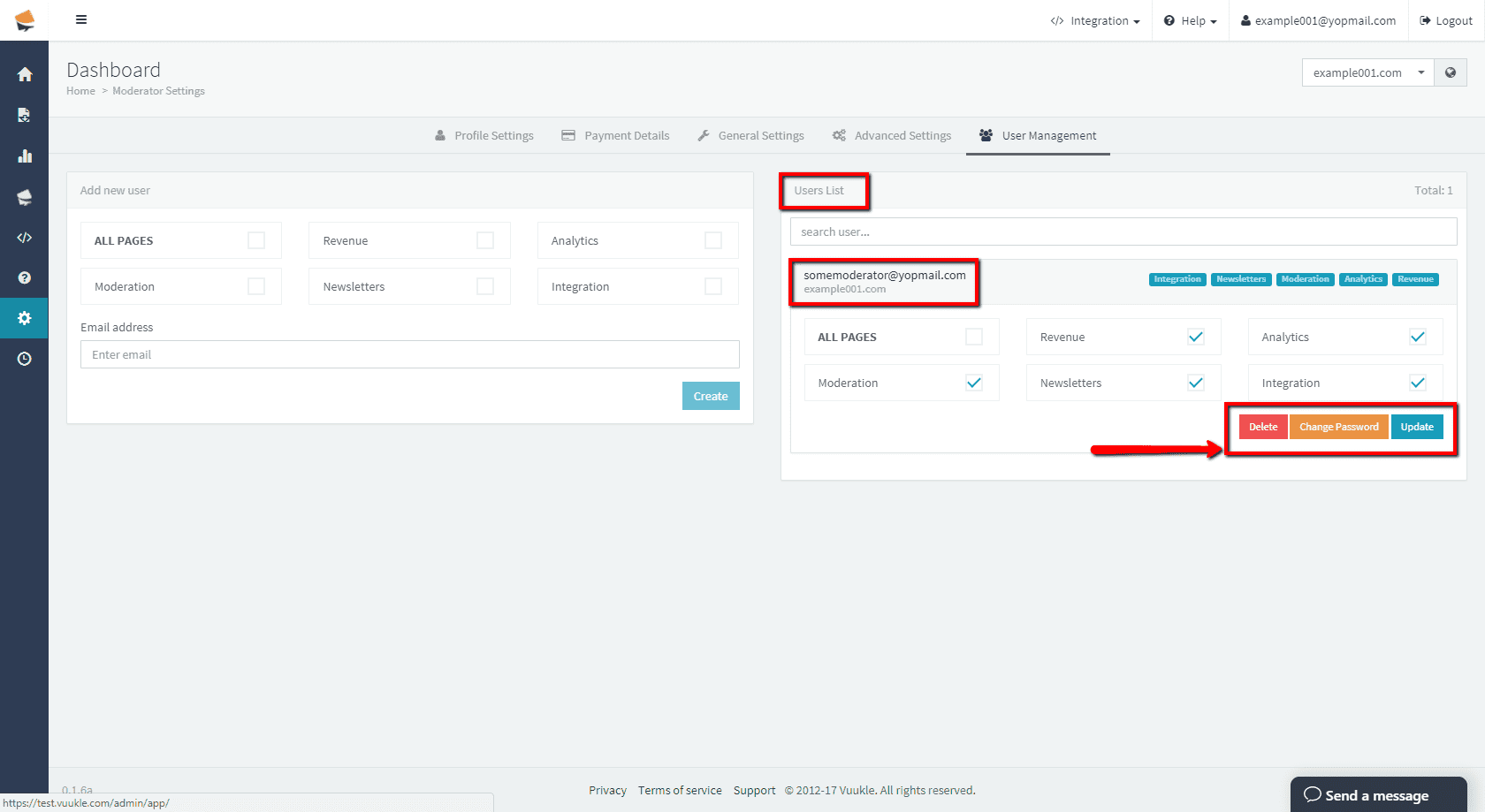
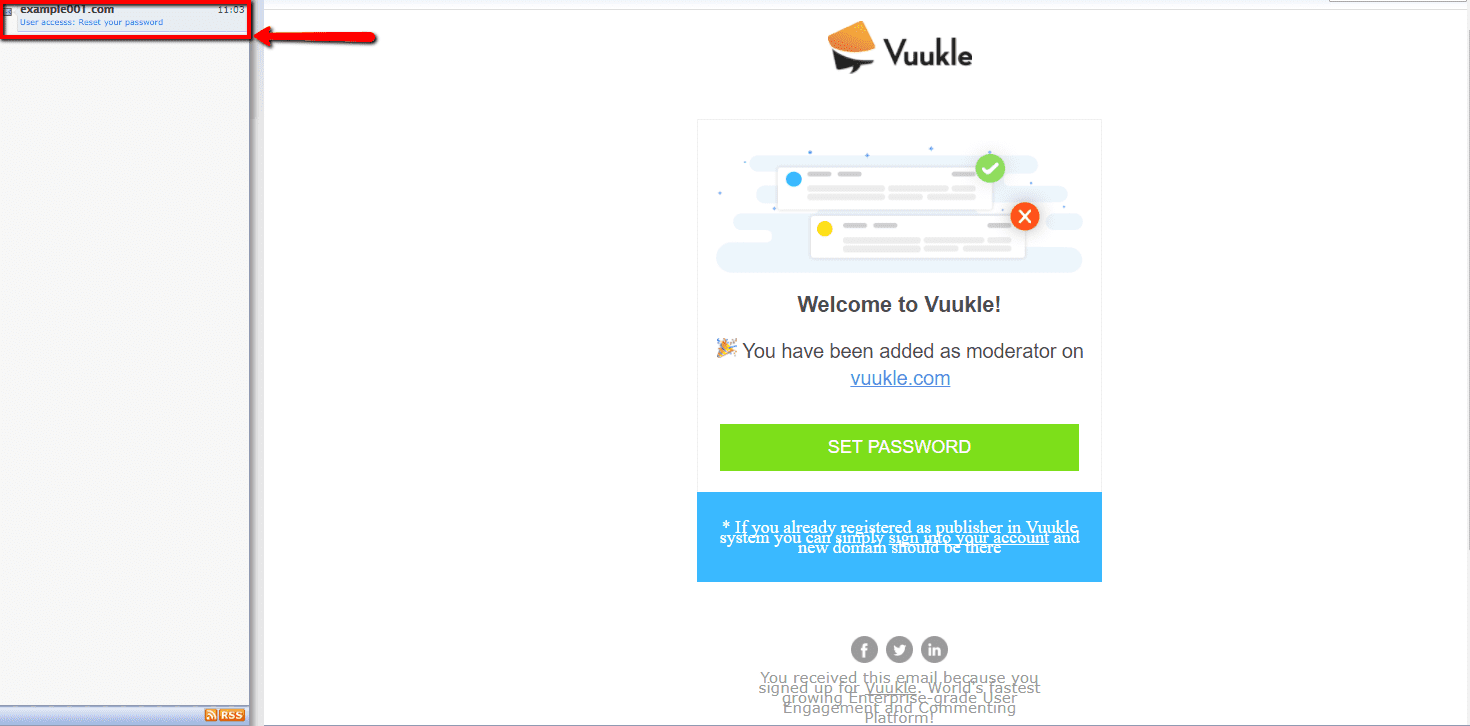
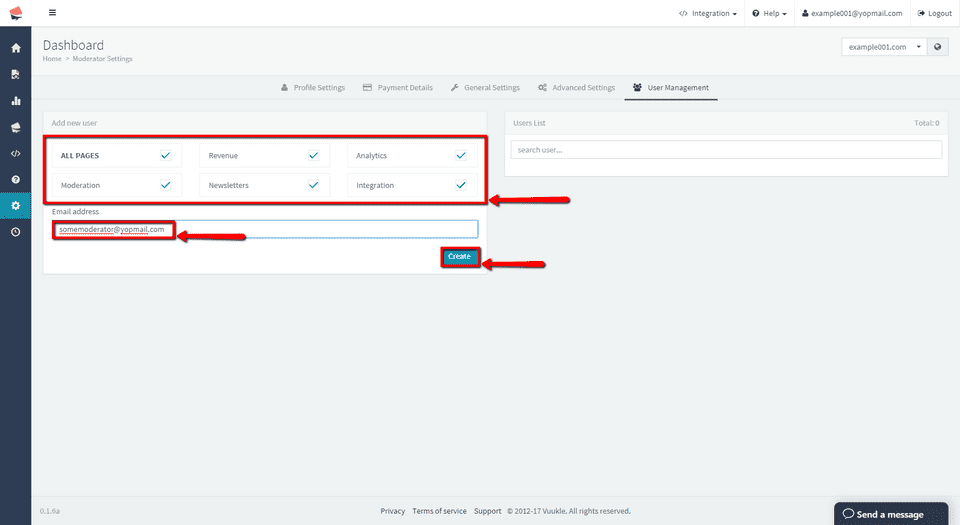
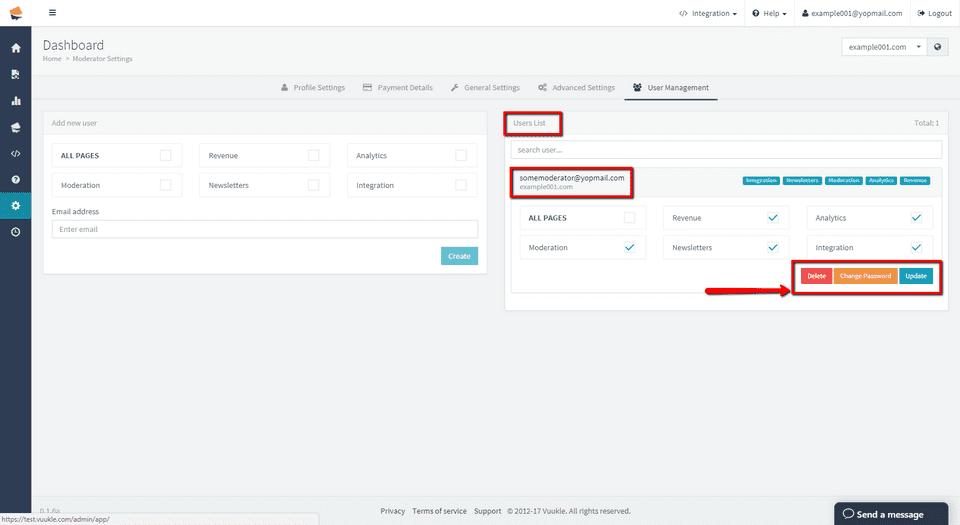
To add a moderator/user to your Vuukle account, go to your admin panel and select on which site you want to add moderator. Select Settings, and then User Management. Enter email address of your new moderator, select which privileges he/she should have, and click Create. In User List section you can edit privileges and password, or delete that user. After new moderator is added, he/she will receive confirmation email with link to reset their password.
Step by step instructions with screenshots – add moderator on Vuukle
-
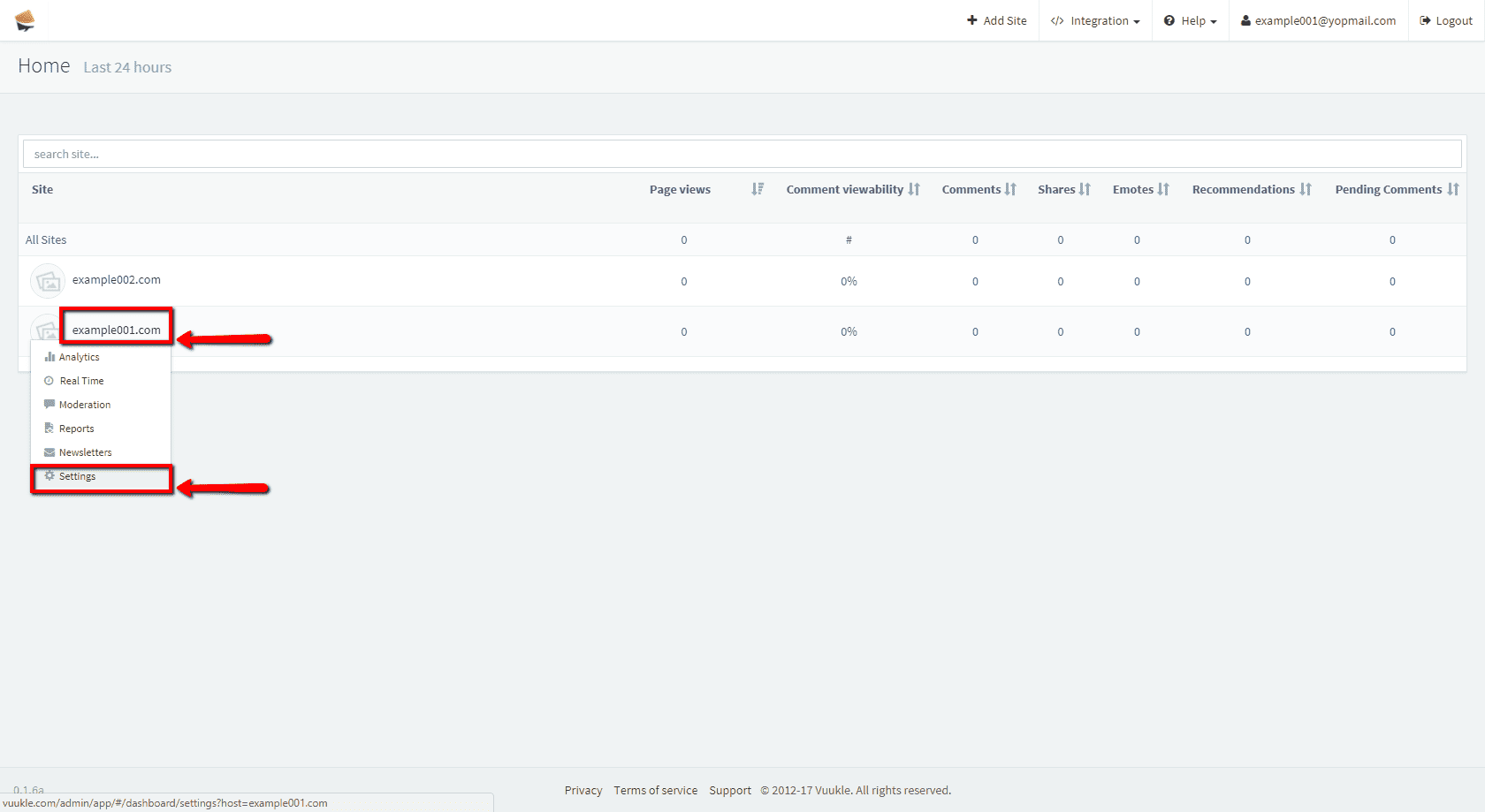
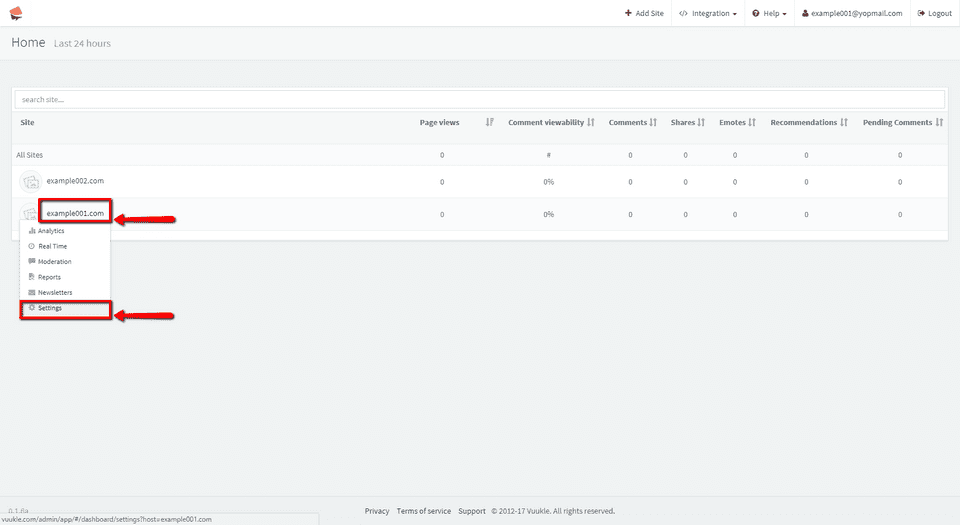
Go to your admin panel dashboard and select on which site you want to add moderator
-
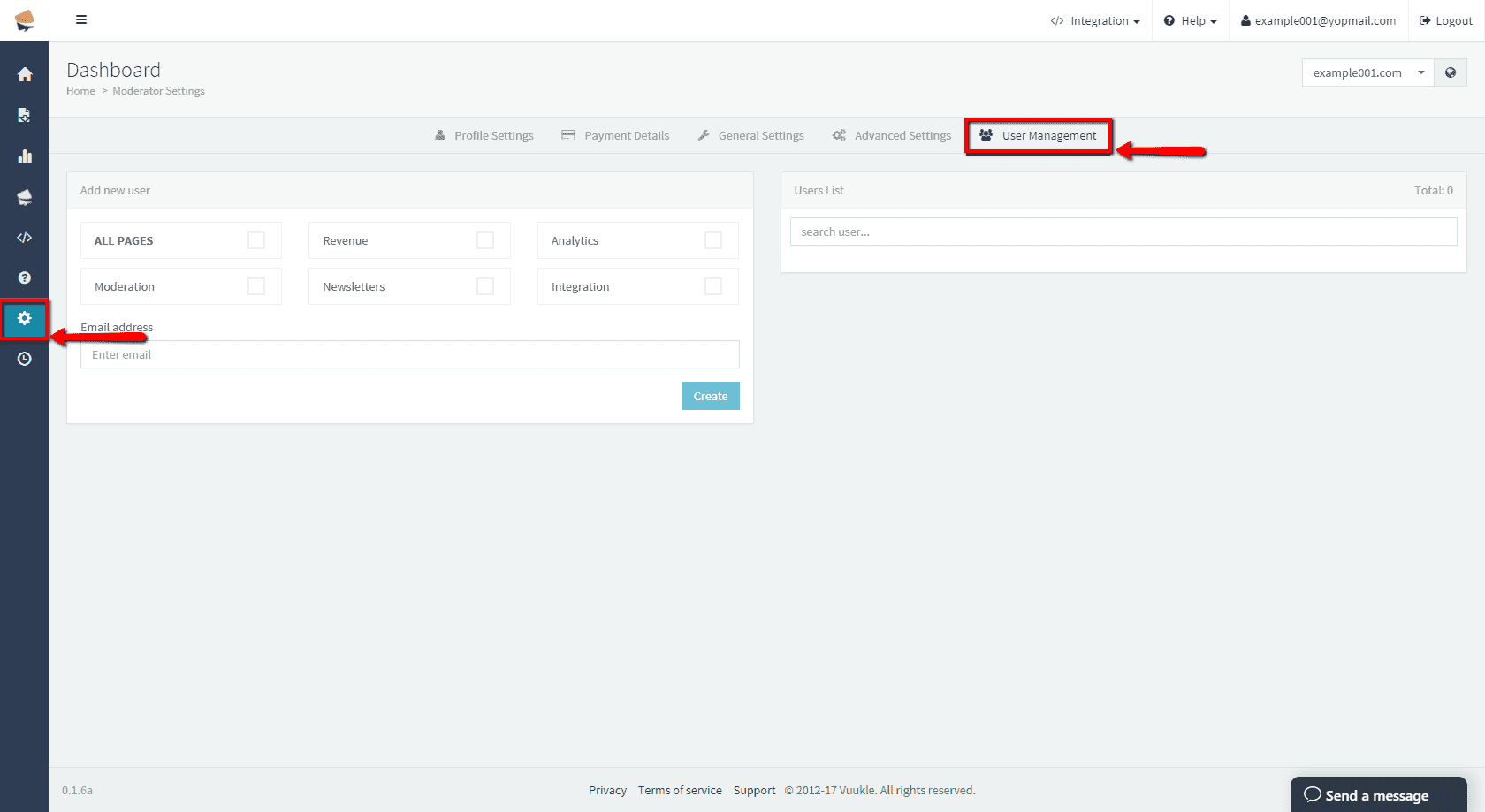
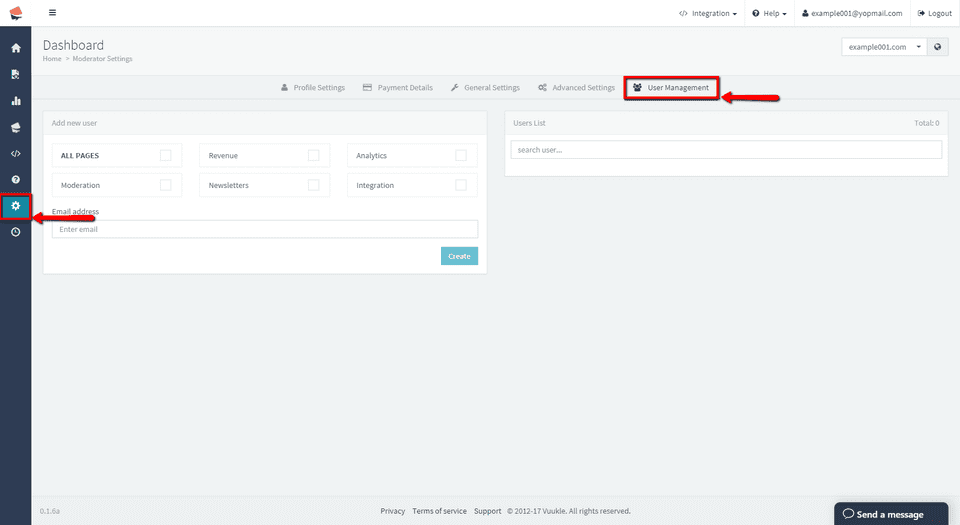
Select Settings, and then User Management
-
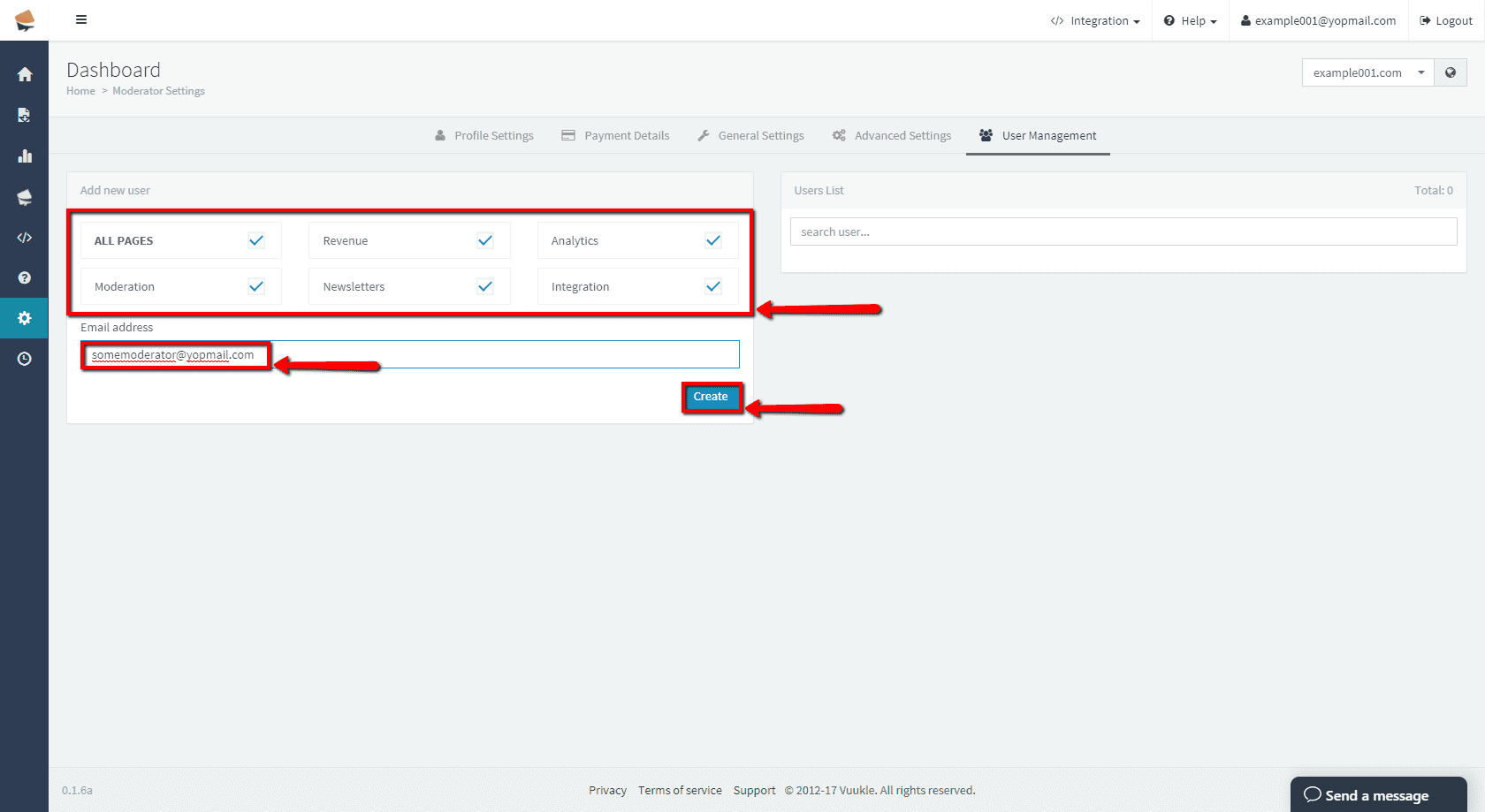
Enter email address of your new moderator, select which privileges he/she should have, and click Create
-
In User List section you can edit privileges and password, or delete that user
-
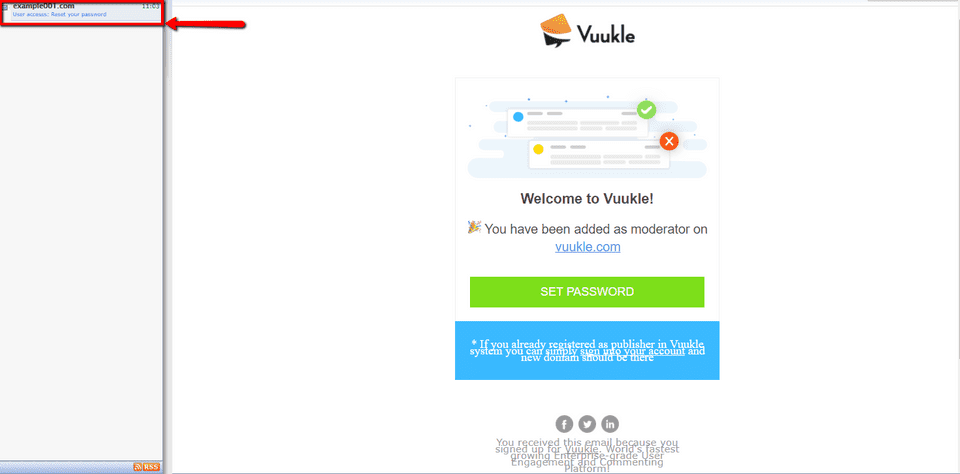
After new moderator is added, he/she will receive confirmation email with link to reset their password