Need help with Vuukle?🤔
This is the place you are looking for!
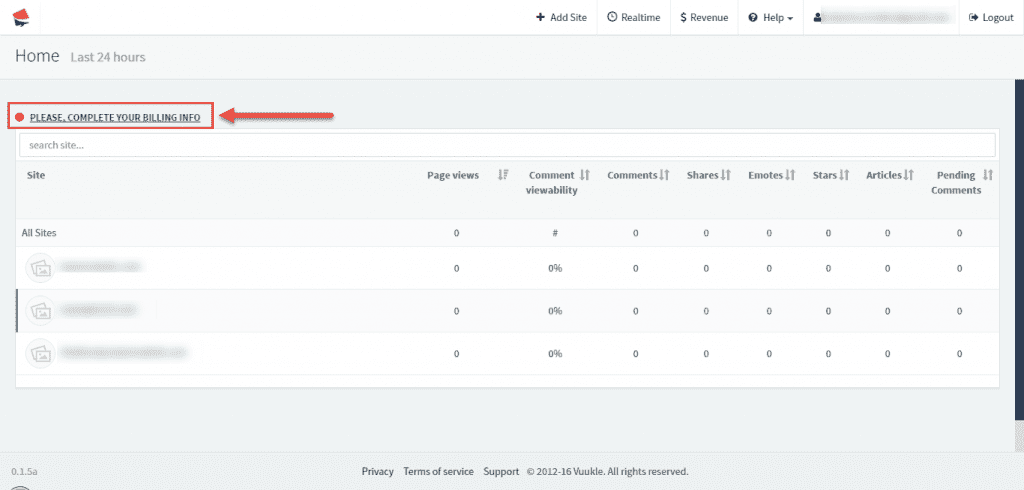
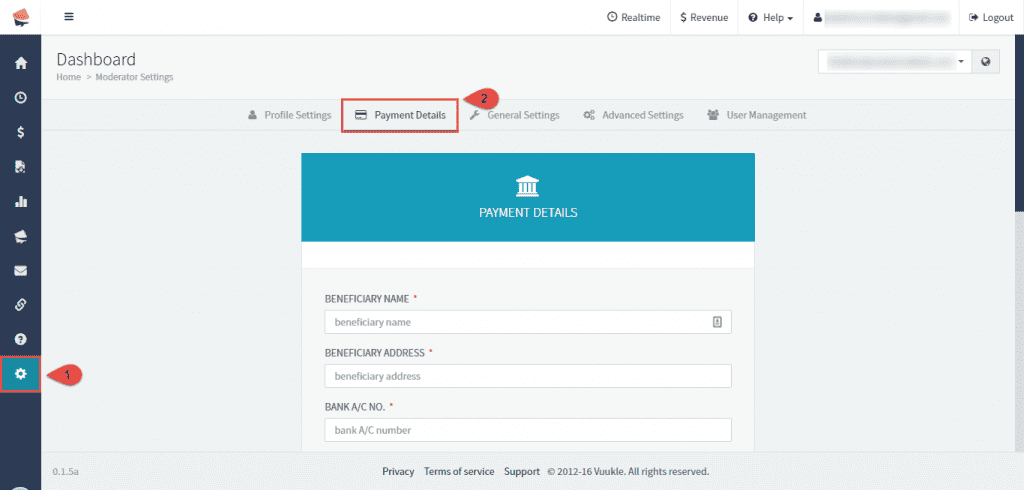
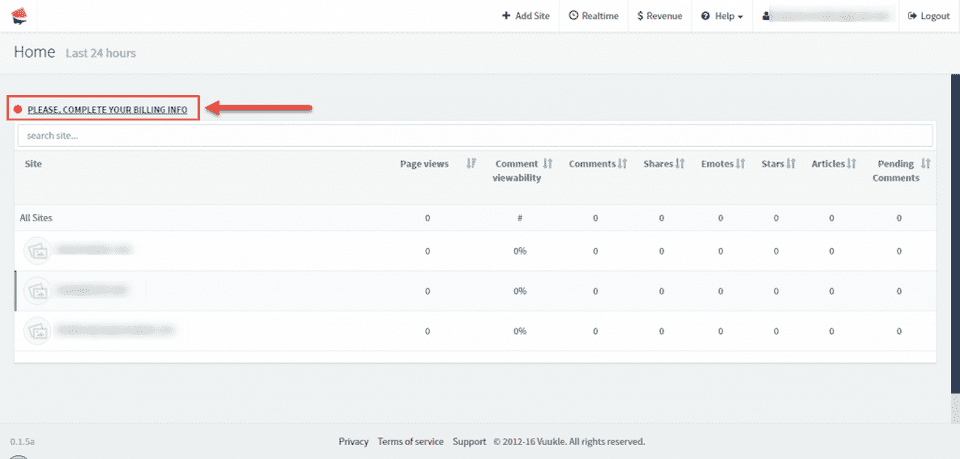
To add payment information, go to home page of your Vuukle dashboard, and click on “Please, complete your billing info” link. All data that you add at this moment can be edited later under Settings – Payment Details.
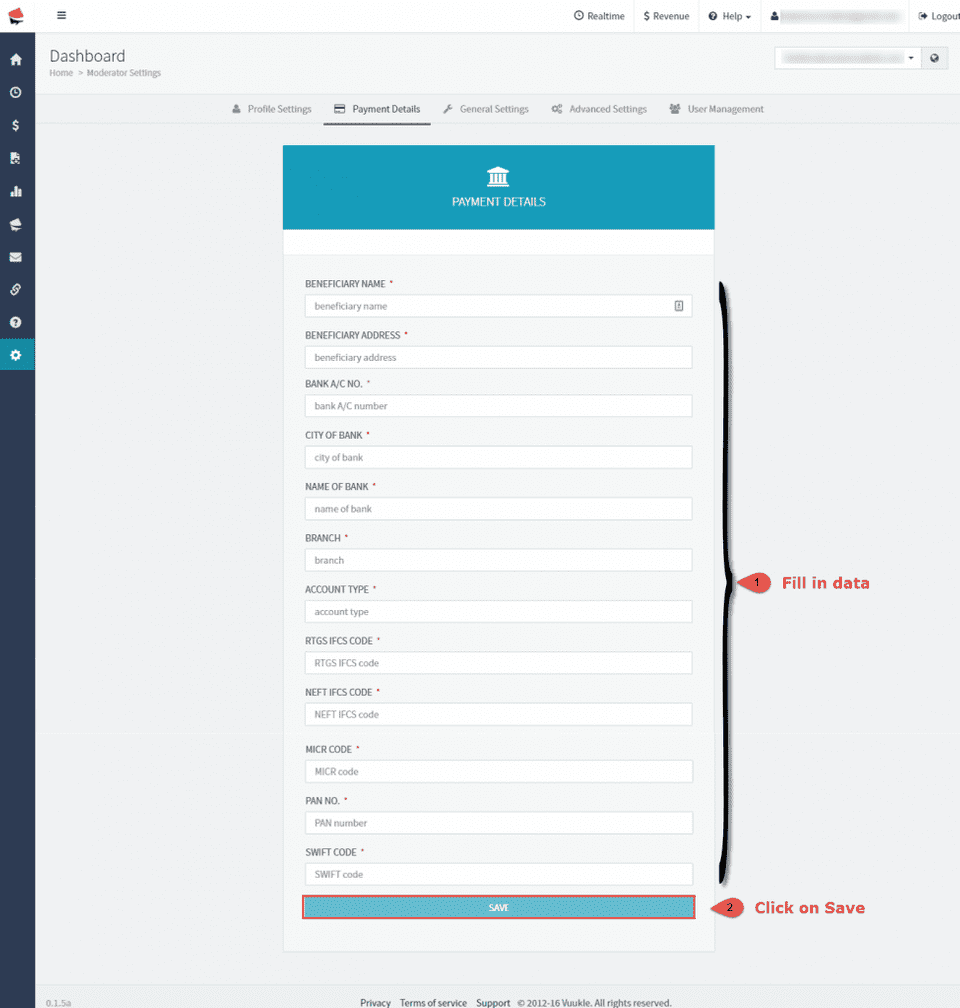
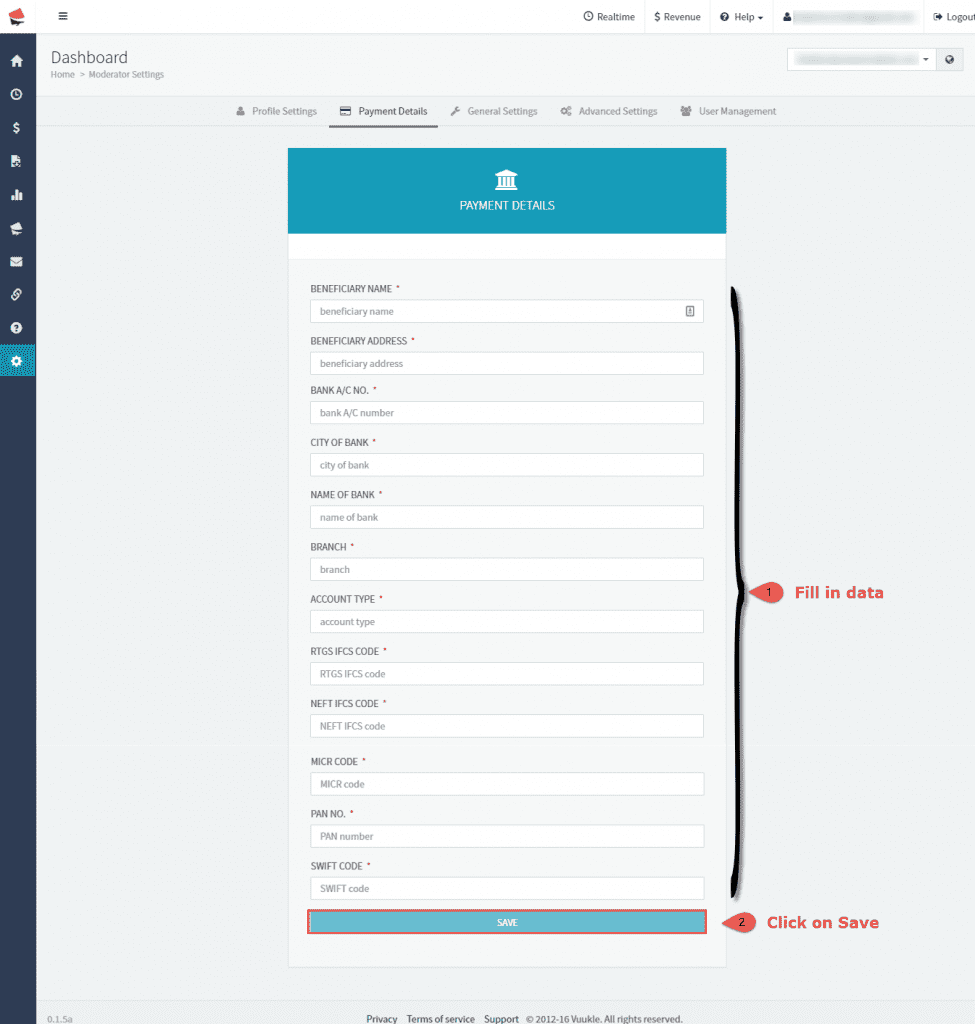
When you are on Payment Details page, fill in required data and click Save.
Add payment information – Screenshots
- Go to home page of your Vuukle dashboard, and click on “Please, complete your billing info” link
- All data that you add at this moment can be edited later under Settings – Payment Details
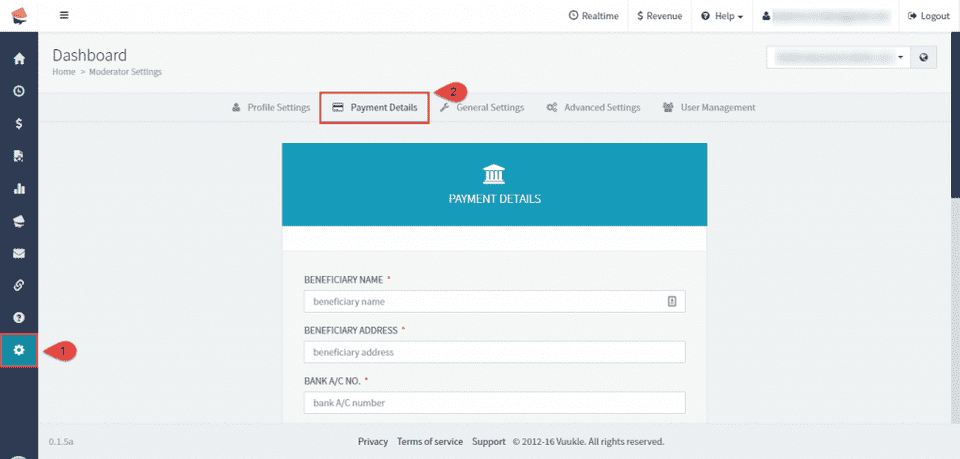
- When you are on Payment Details page, fill in required data and click Save