Need help with Vuukle?🤔
This is the place you are looking for!
How to block specific IP or email when people write comments?
how toblockspecific ipemailUpdated over a month ago
To block specific IP or email when people write comments, go to your Vuukle admin panel. Choose site on which you want to block specific ip or email. In the menu on the left, click on gear icon to select Settings. Choose Advanced Settings tab and scroll down to Block Word(s) section. Enter emails or IPs you want to block, separated with comma, and click Block. Clicking on See blocked IPs/See blocked emails, you will see list of your IPs or emails. You can search the list for specific IP or email, or delete it by clicking the ‘Unblock’ button on the right.
Step by step instructions with screenshots – block specific IP or email
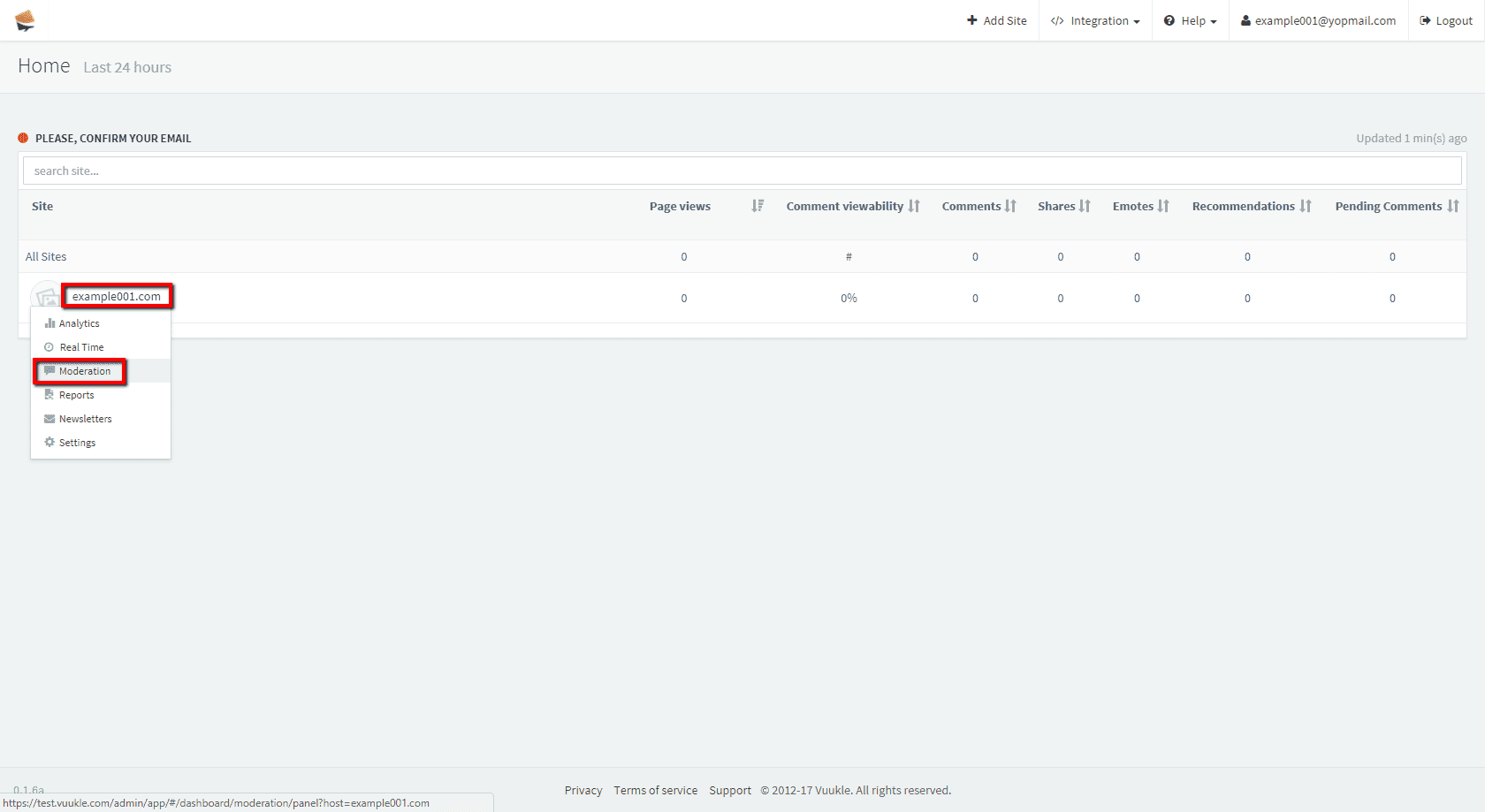
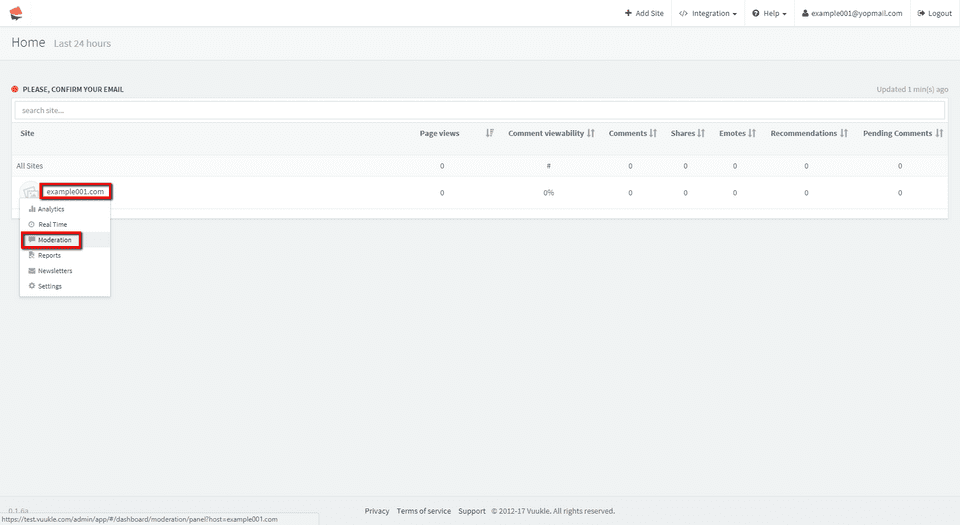
- Go to your Vuukle admin panel and choose site on which you want to block specific ip or email in comments.
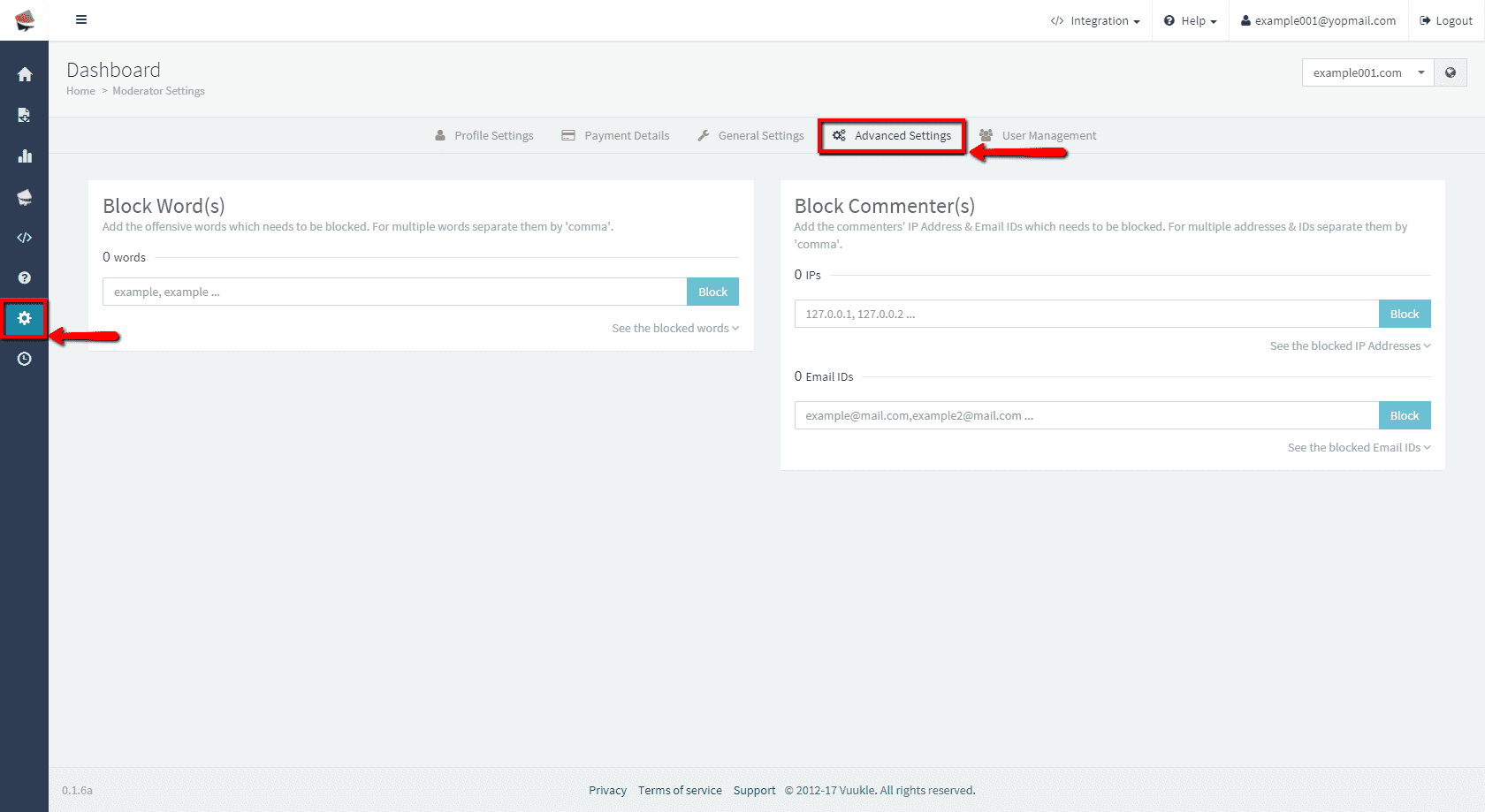
- In the menu on the left, click on gear icon to select Settings. Choose Advanced Settings tab.
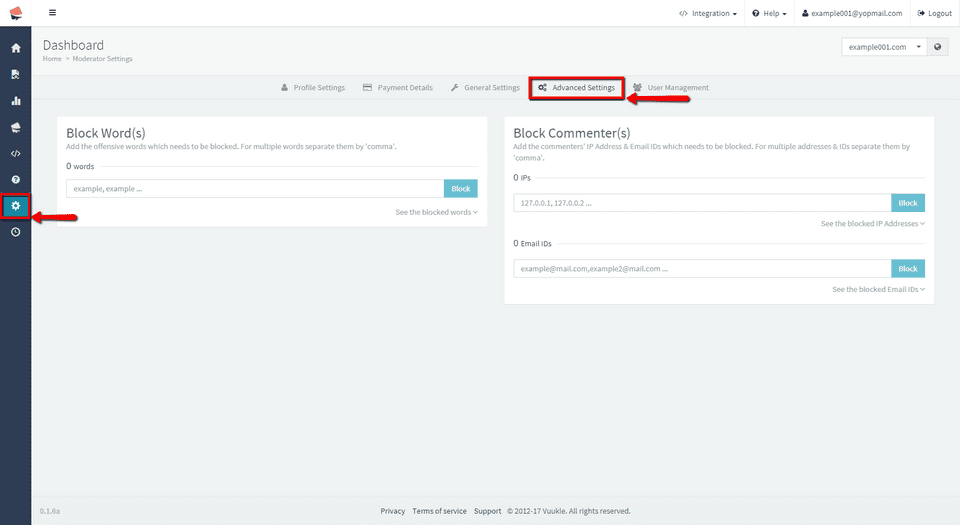
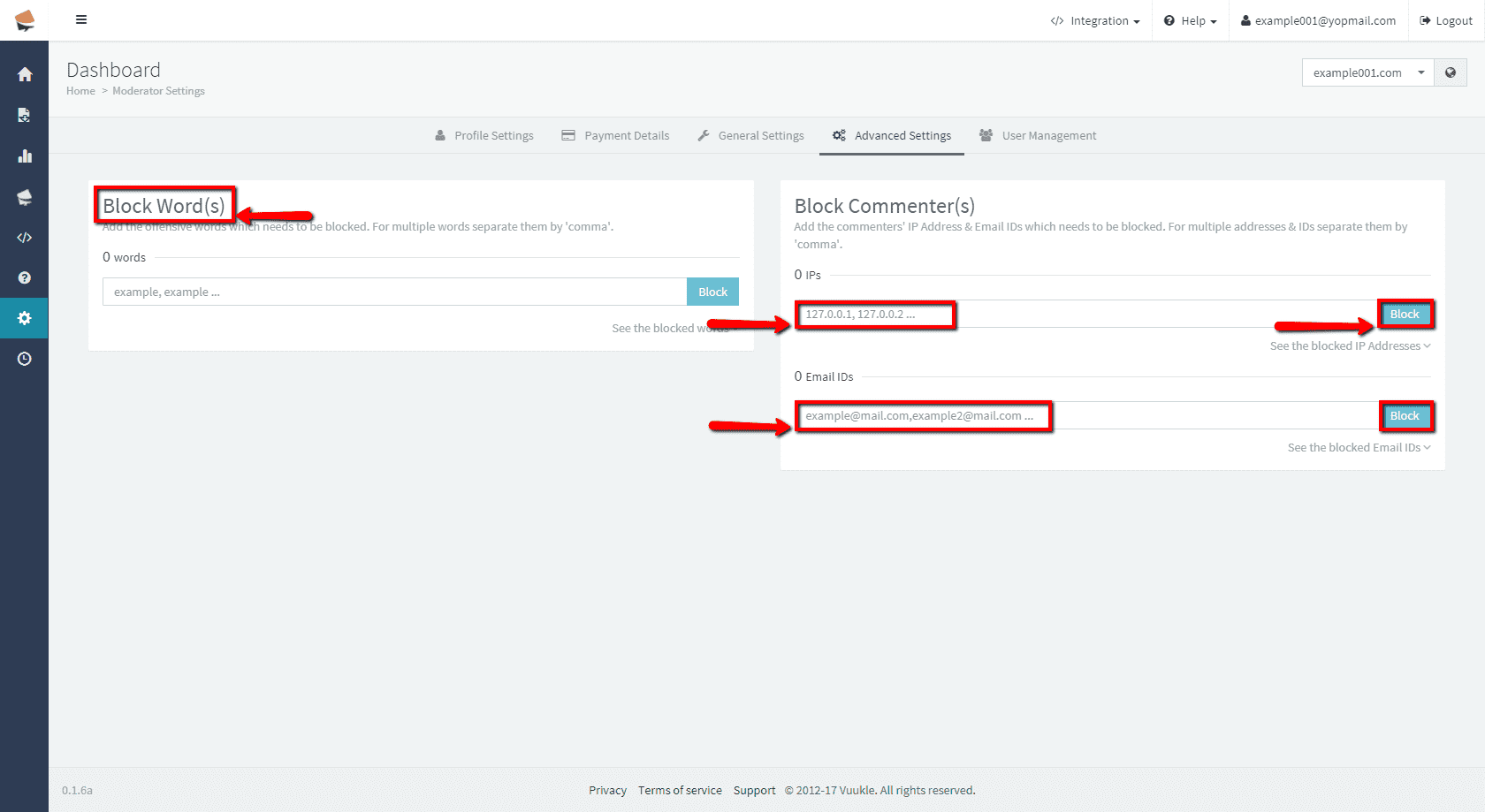
- Scroll down to Block Commenter(s) section. Enter IP or email you want to block, separated with comma, and click Block.
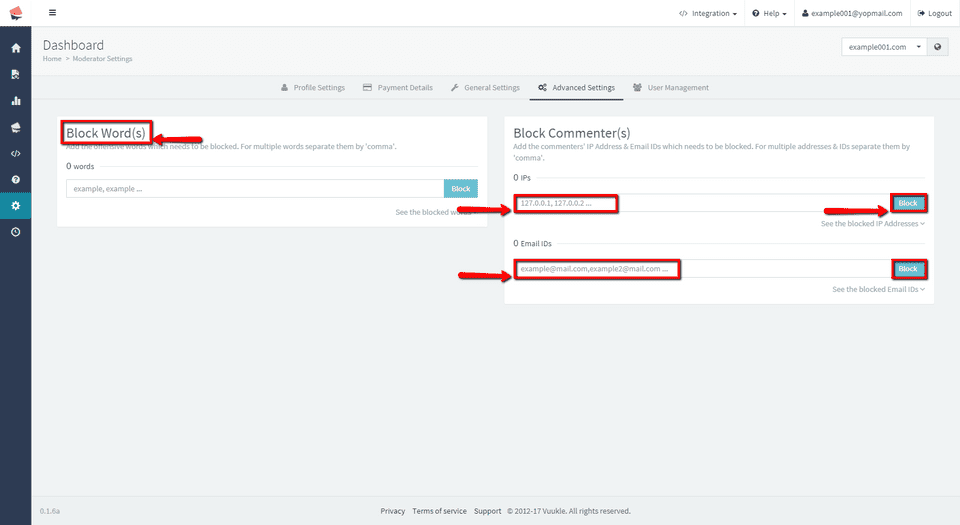
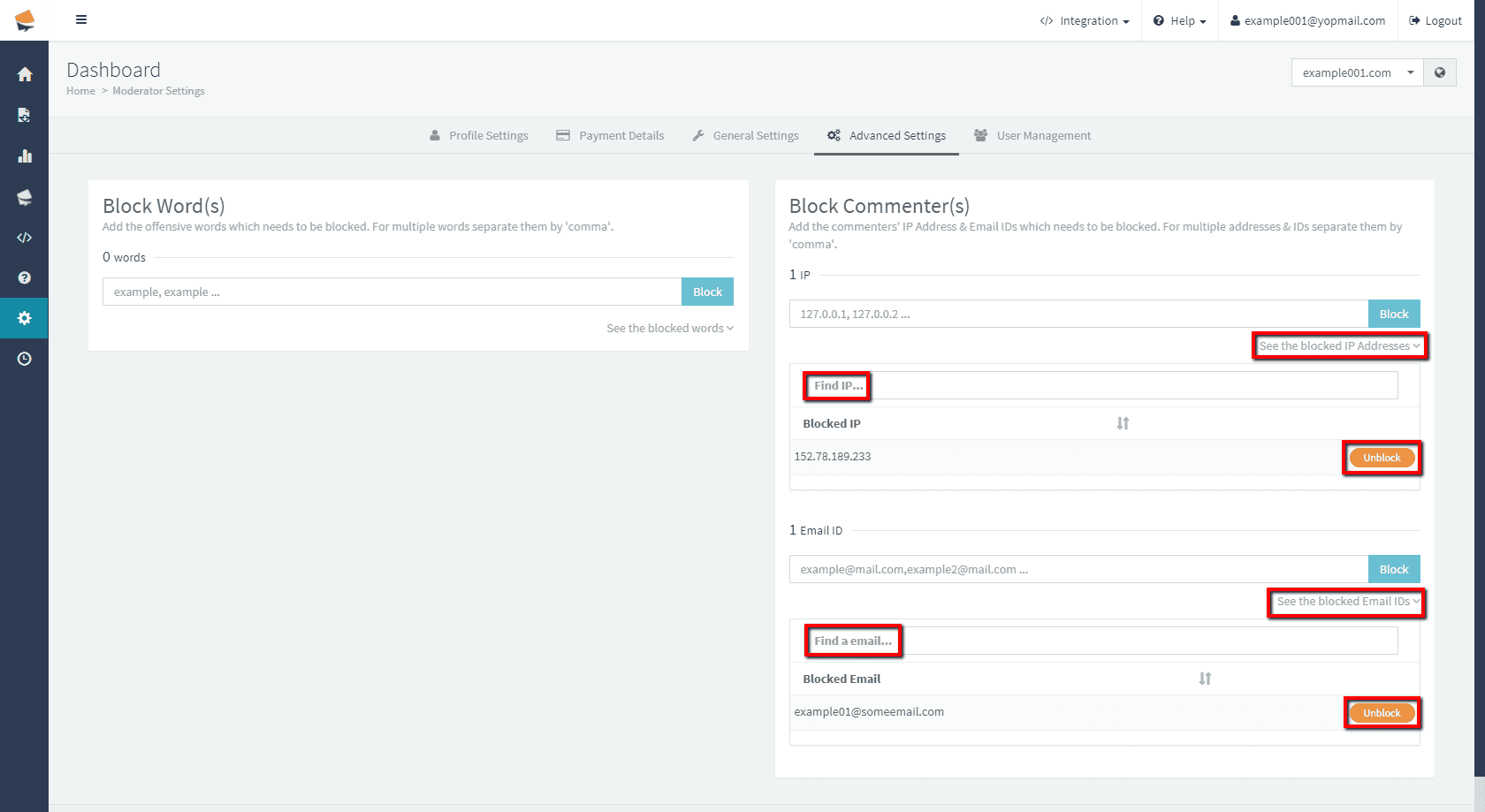
- Clicking on See blocked IPs/See blocked emails, you will see list of your IPs or emails. You can search the list for specific IP or email, or delete it by clicking the ‘Unblock’ button on the right side.
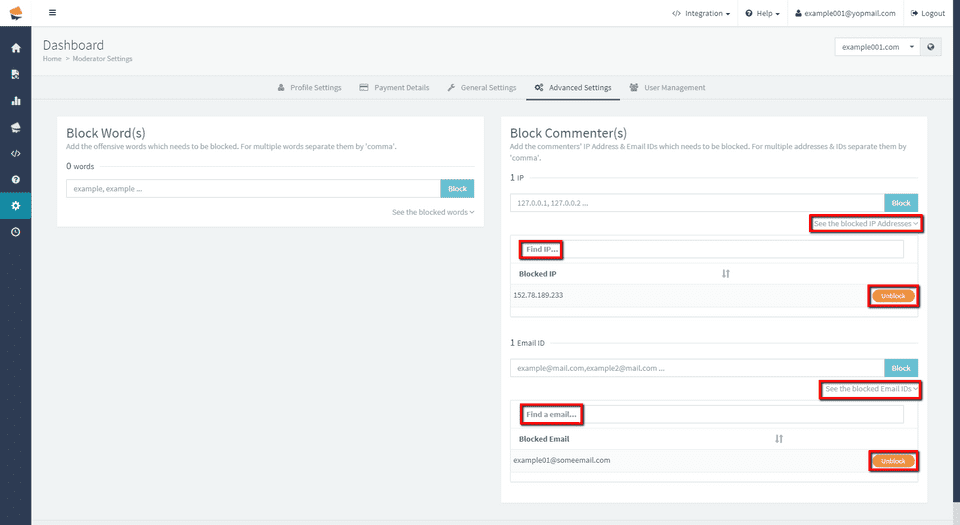
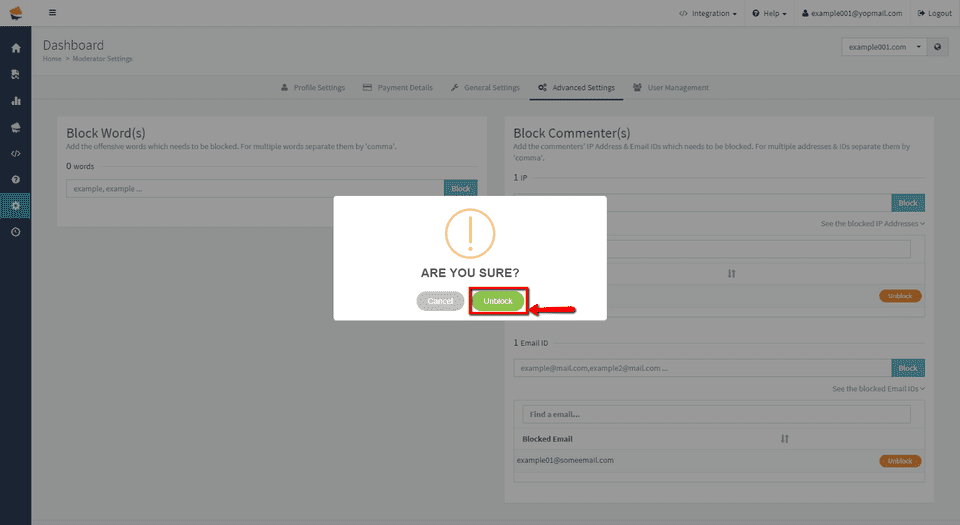
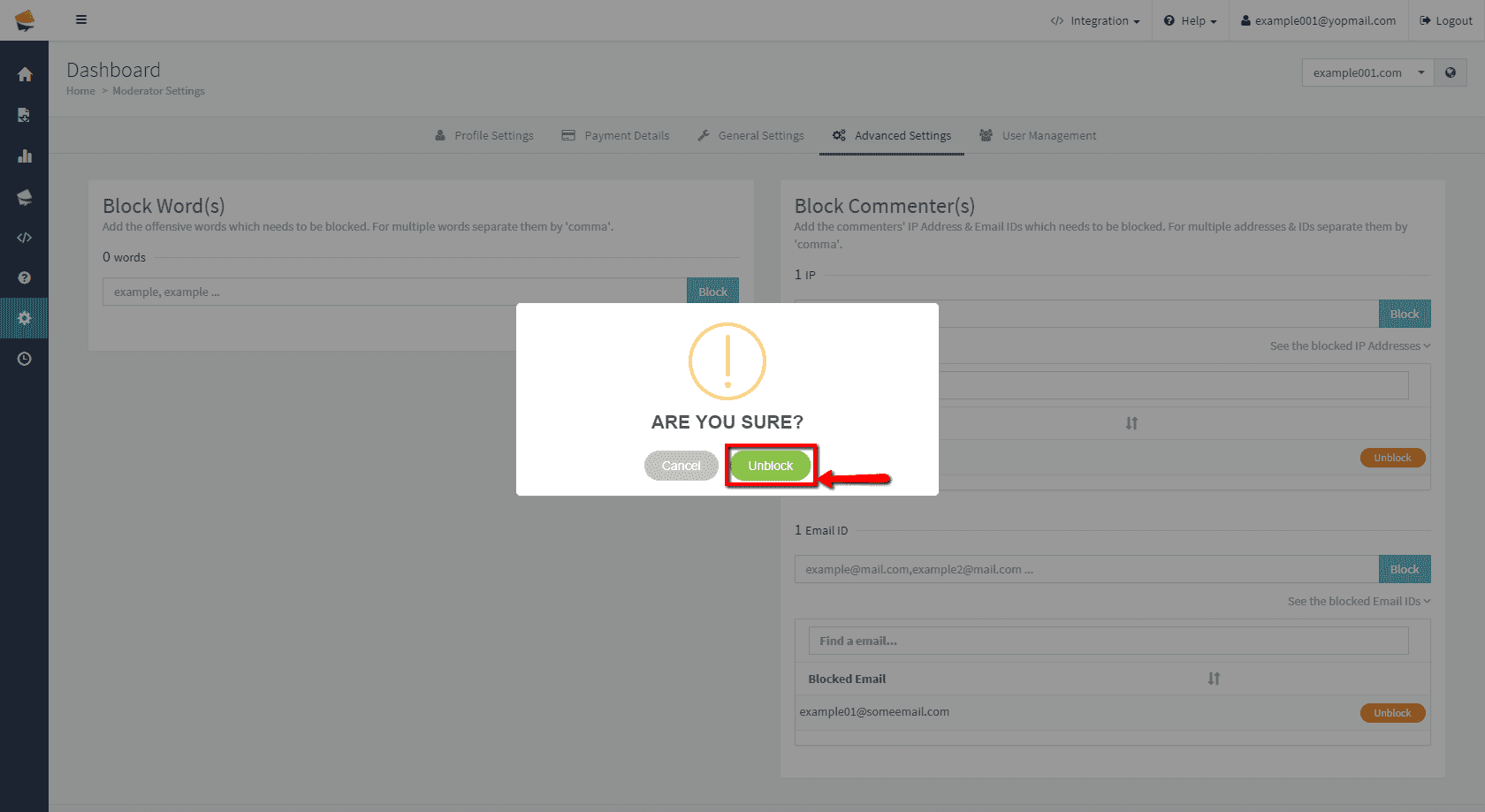
- If you choose to delete IP or email, click Unblock, delete it in confirmation window. After that you will be informed that selected it is deleted.