Need help with Vuukle?🤔
This is the place you are looking for!
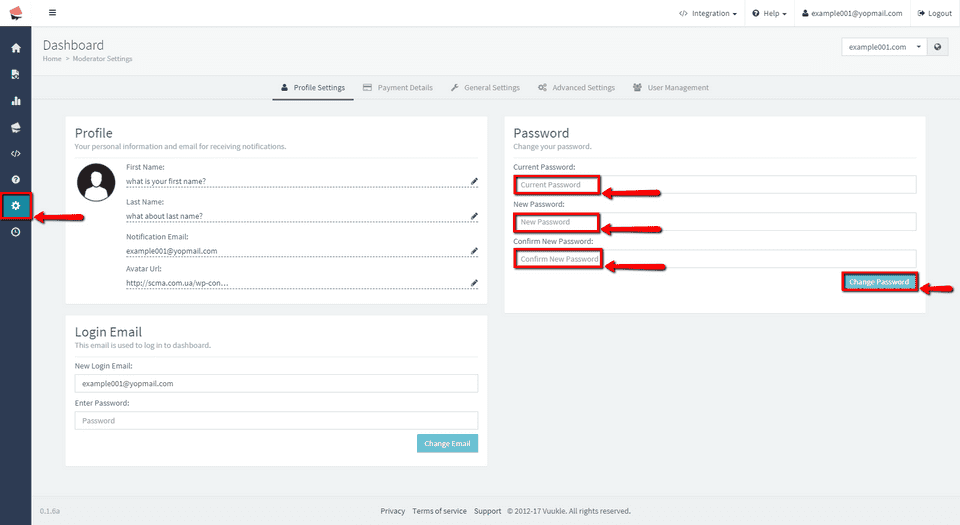
To change Vuukle login password, go to admin page and choose one of your sites. In the menu on the left click on Settings icon, and scroll to Password section. Enter your current password. Enter your new password, retype it and click on Change Password. After that, you should see message “Your password has been changed” in the top right corner.
Step by step instructions with pictures – change Vuukle login password
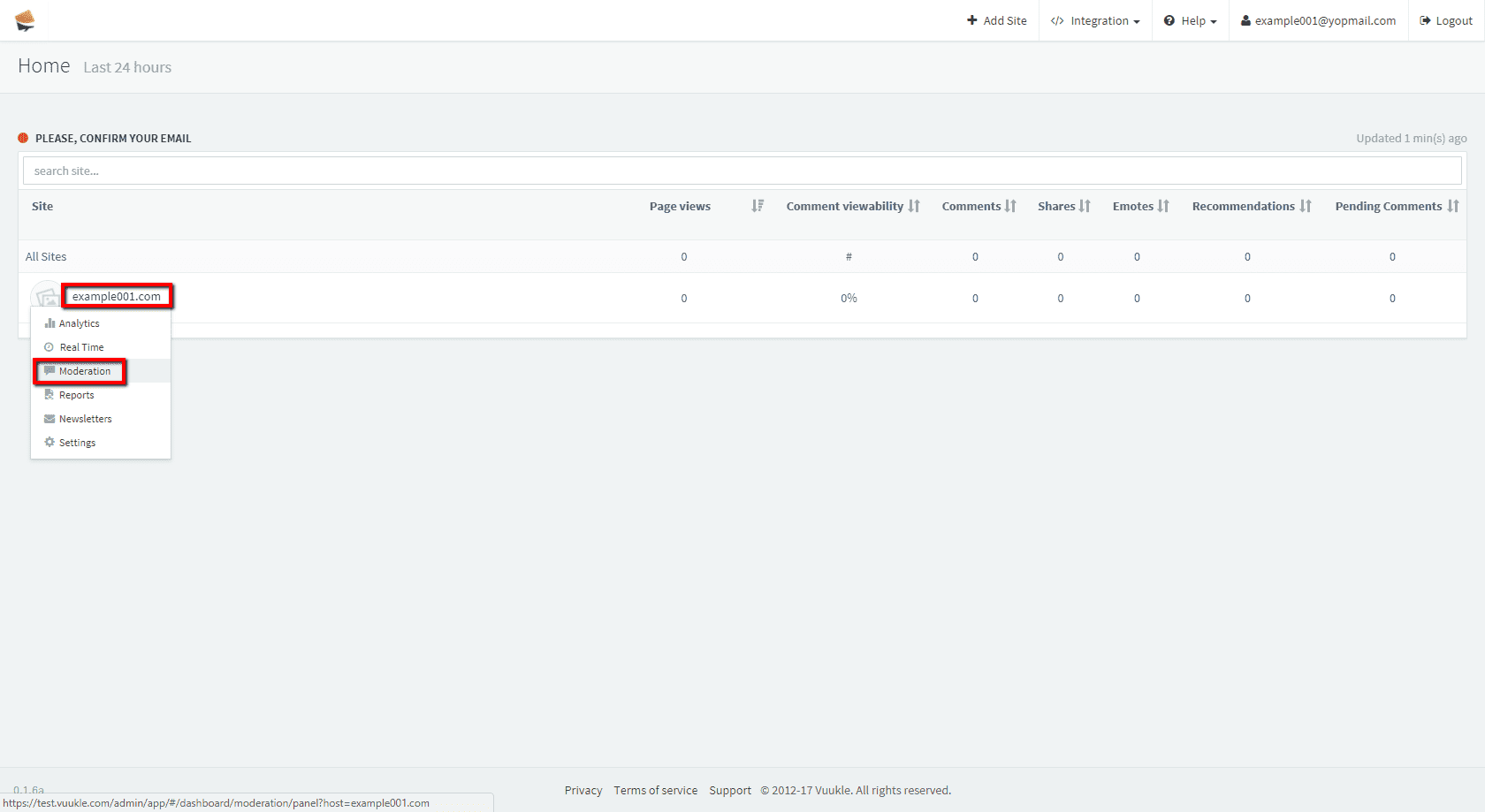
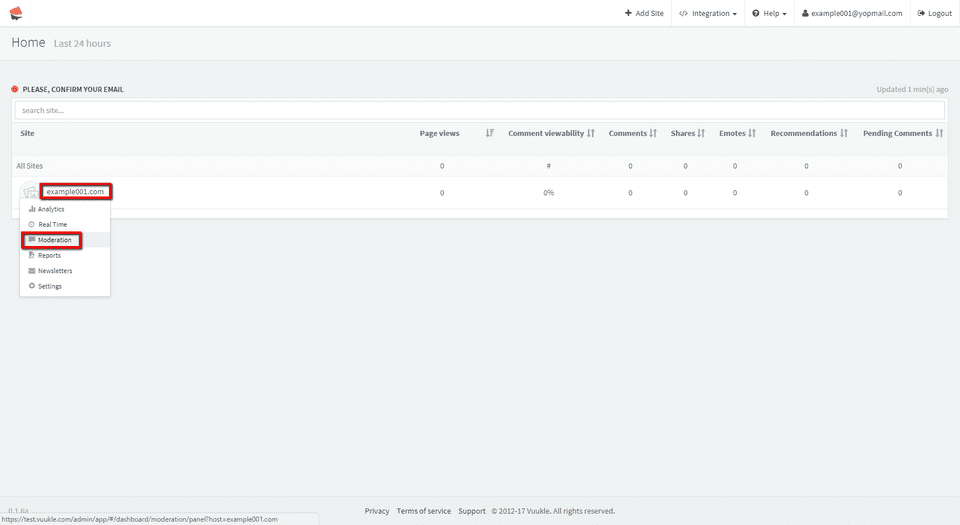
- Go to admin page and choose one of your sites.
-
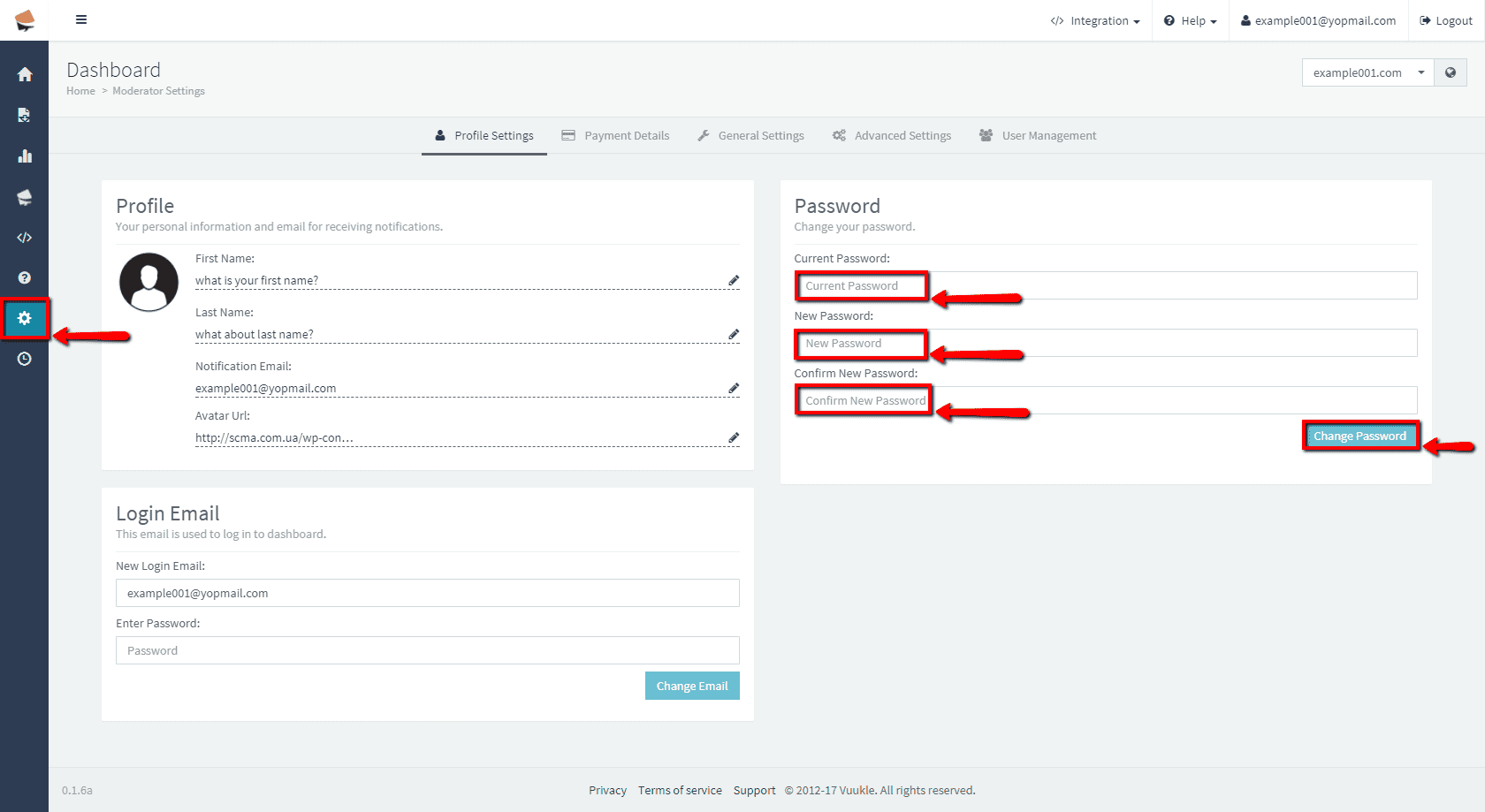
In the menu on the left click on Settings icon, and scroll to Password section. Enter your current password. Enter your new password, retype it and click on Change Password.
-
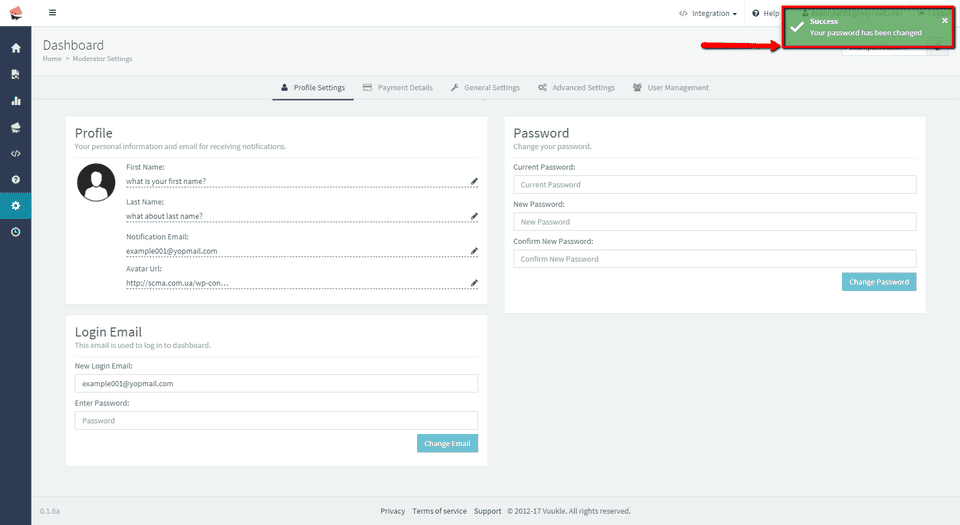
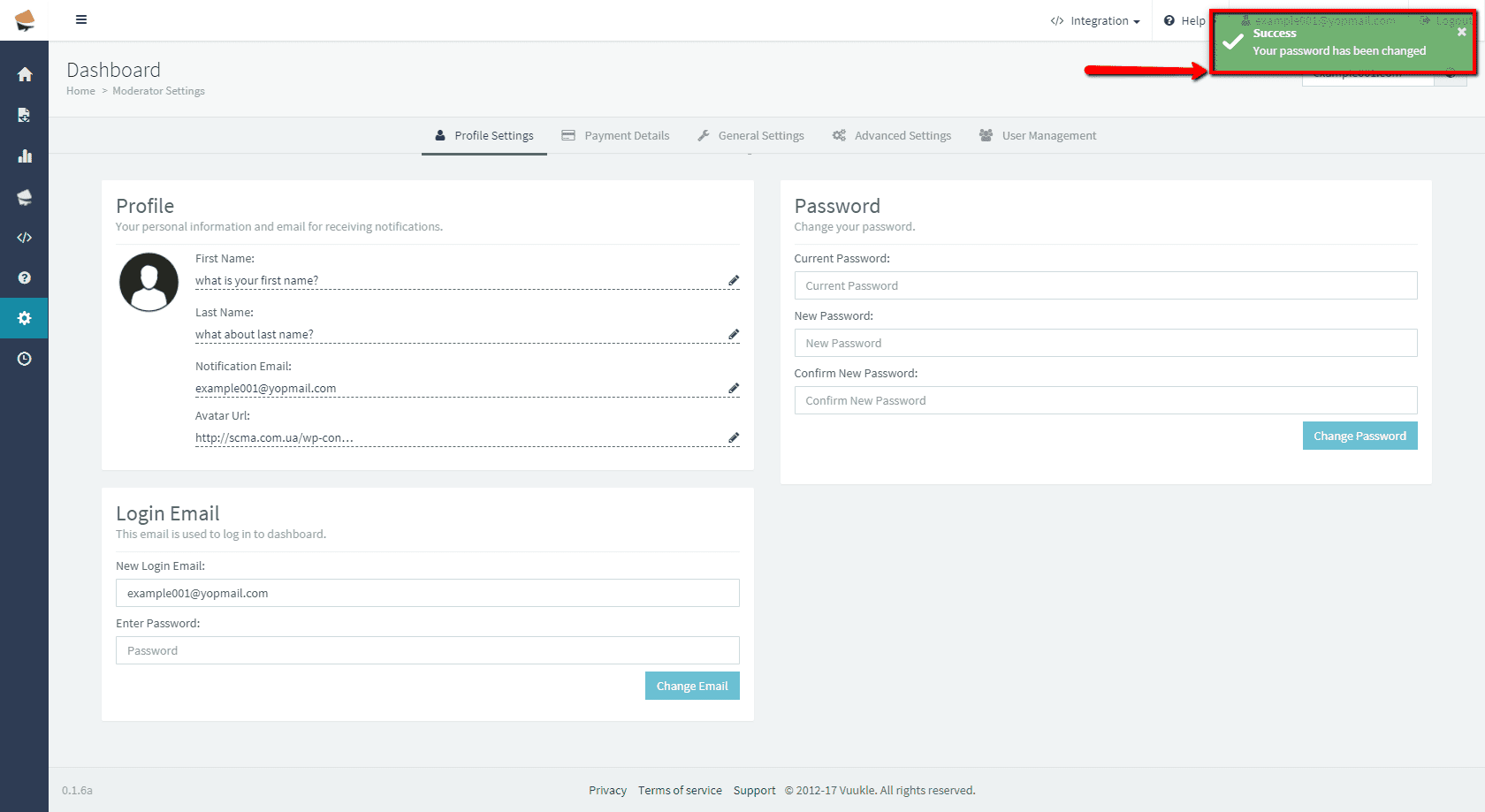
You should see message “Your password has been changed” in the top right corner.