Need help with Vuukle?🤔
This is the place you are looking for!
To edit your Vuukle profile you need to Log into your personal page http://vuukle.com/user/login
If you don’t have a password and don’t know where to get it, click here.
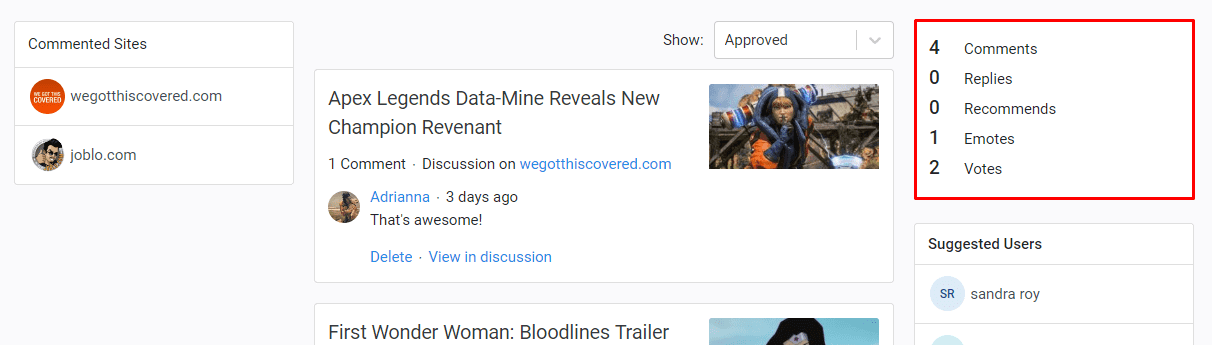
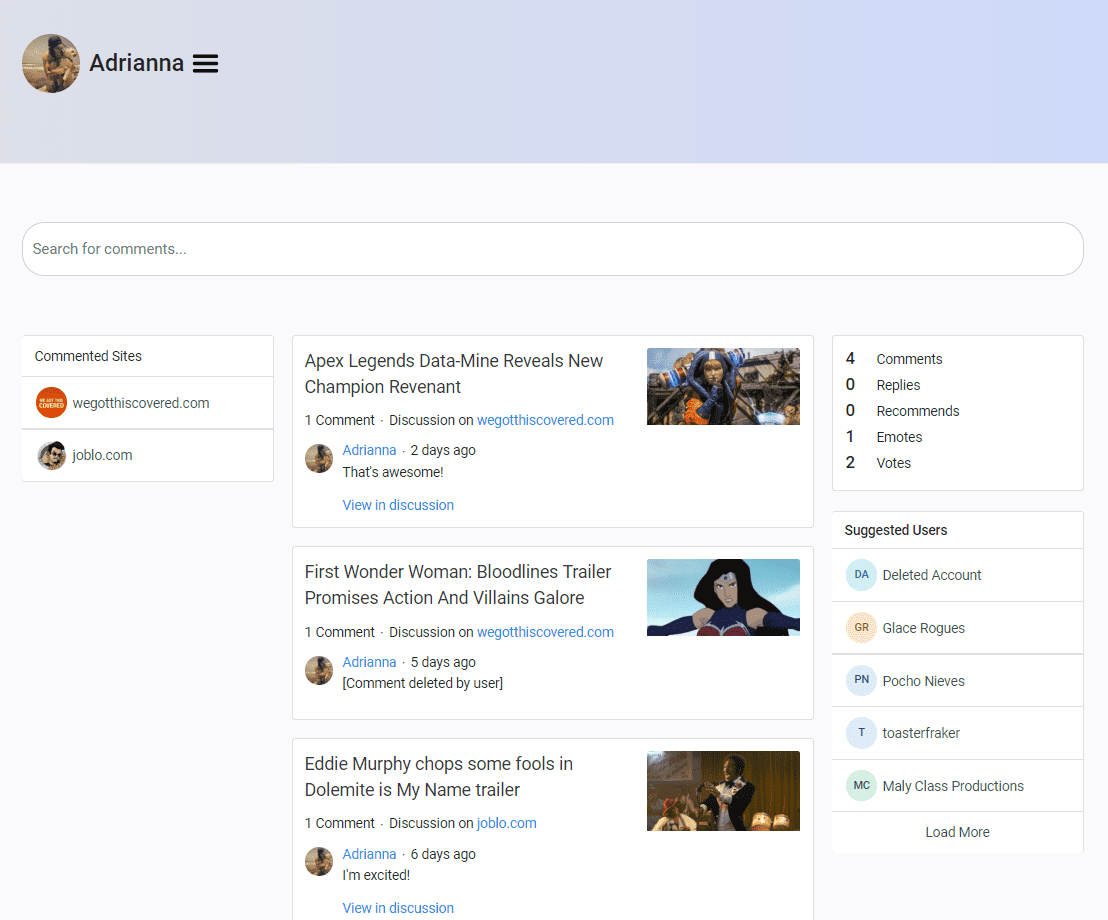
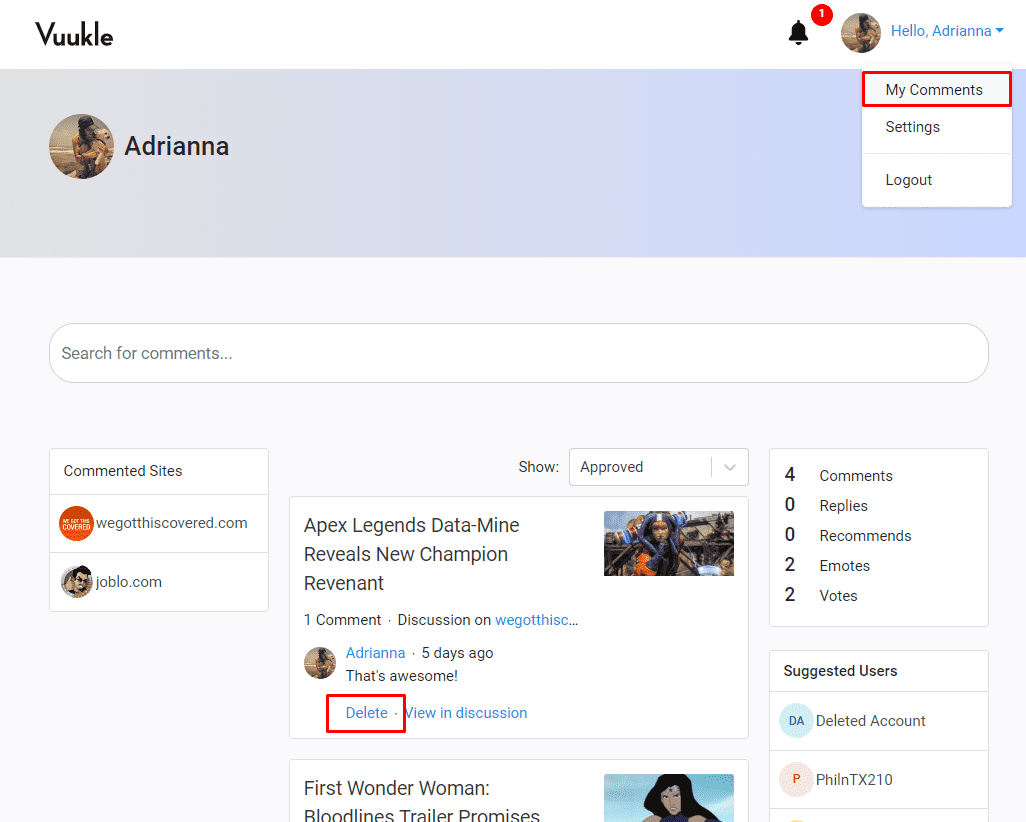
On your profile page, you can manage all your comments, view articles where you commented before.
To remove a comment, click the “Delete” button.
In profile settings, you can change your Avatar, First Name, Last Name and Email address. Click here for the step by step tutorial.
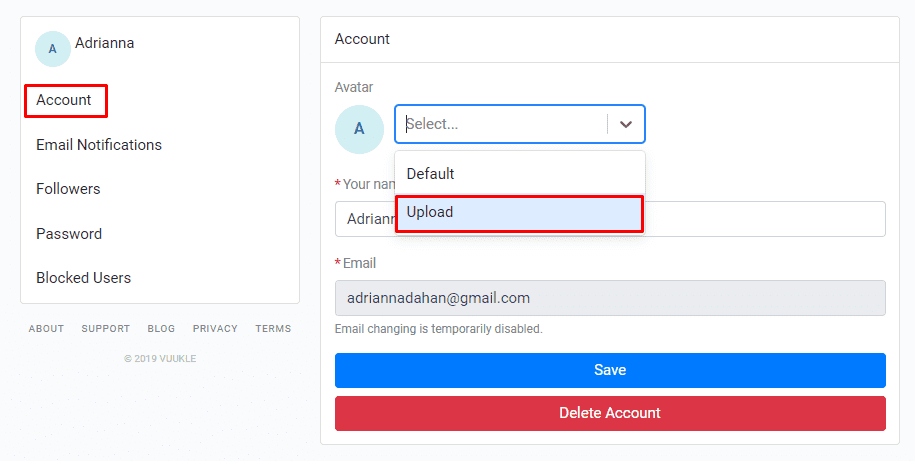
All changes that you will make to your profile will automatically apply to all your comments.
Also, you can track your progress as a Commenter – the more you comment, the higher is your score.