Need help with Vuukle?🤔
This is the place you are looking for!
In this article you can see how to recover Vuukle login password, if you forgot it.
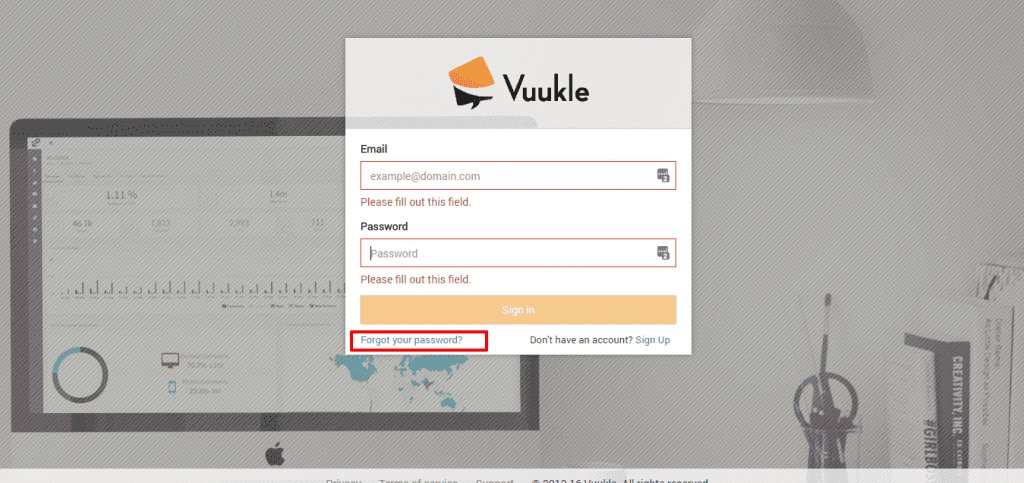
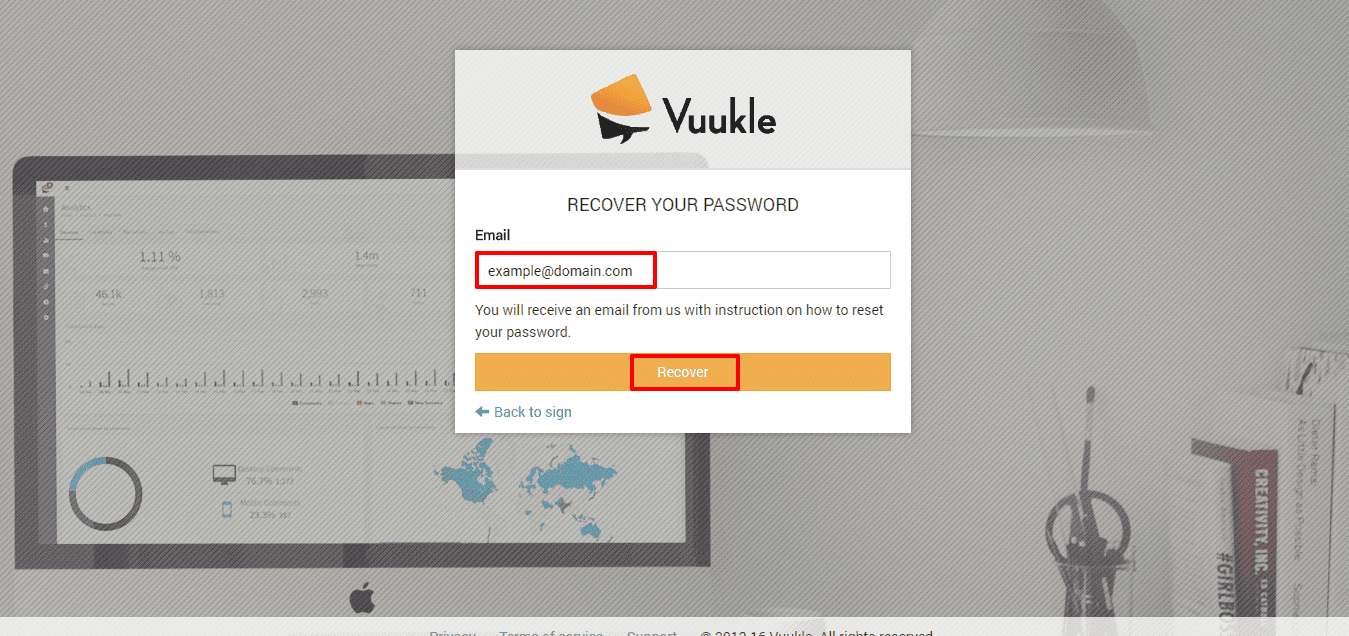
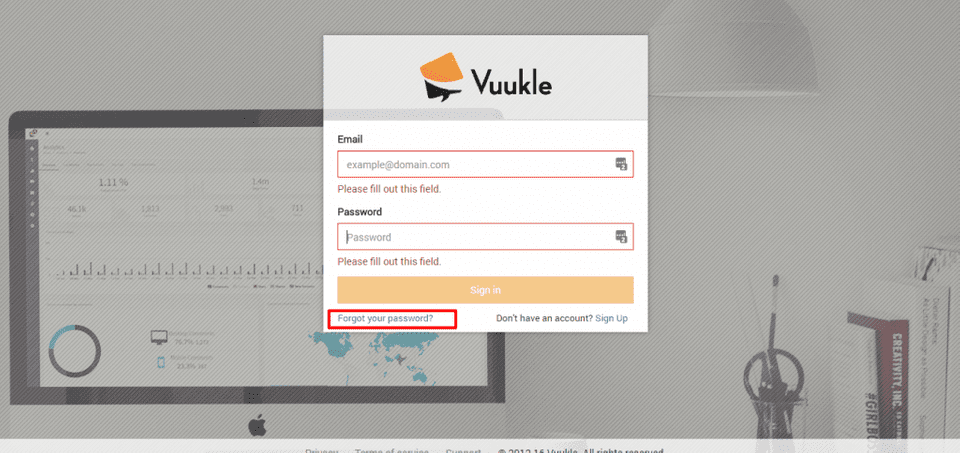
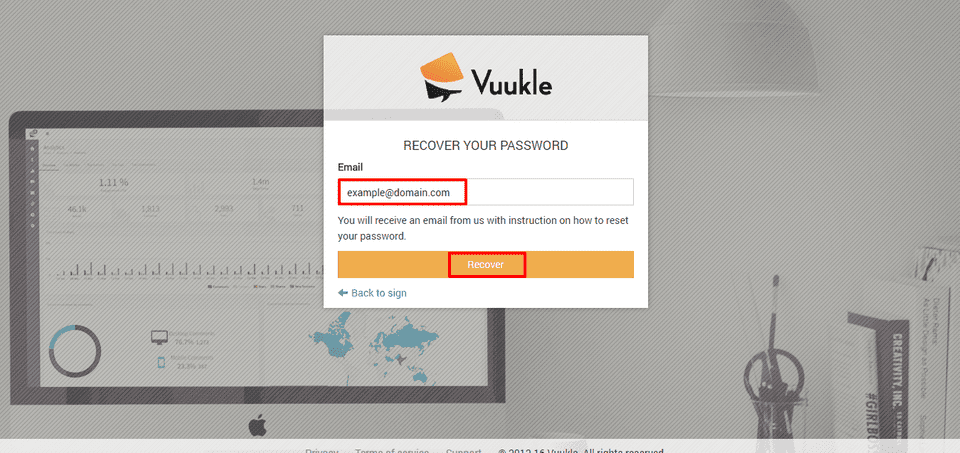
You should first click on “Forgot your password?” on Sign In page. On next page, you should enter your email and click Recover.
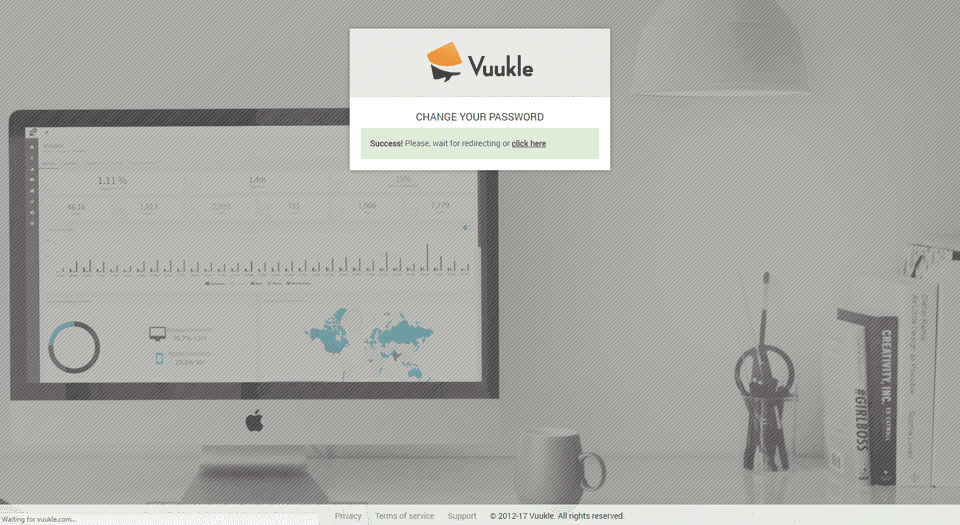
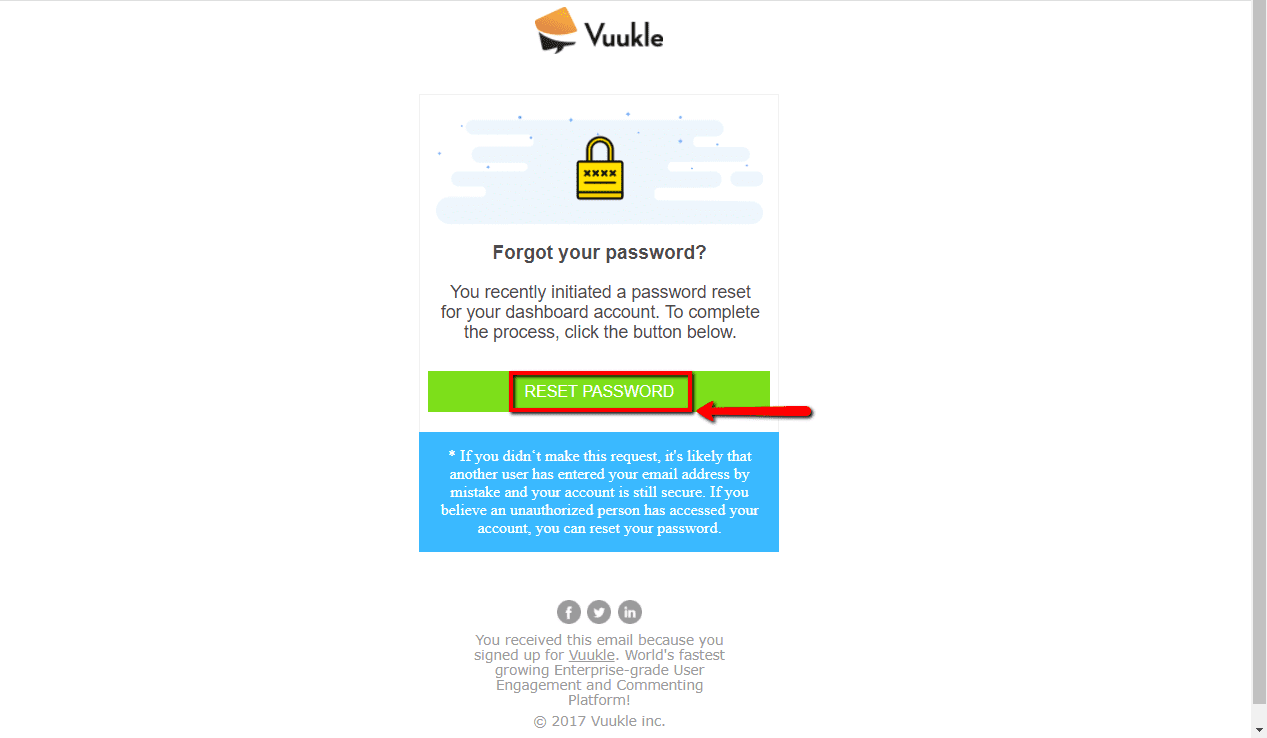
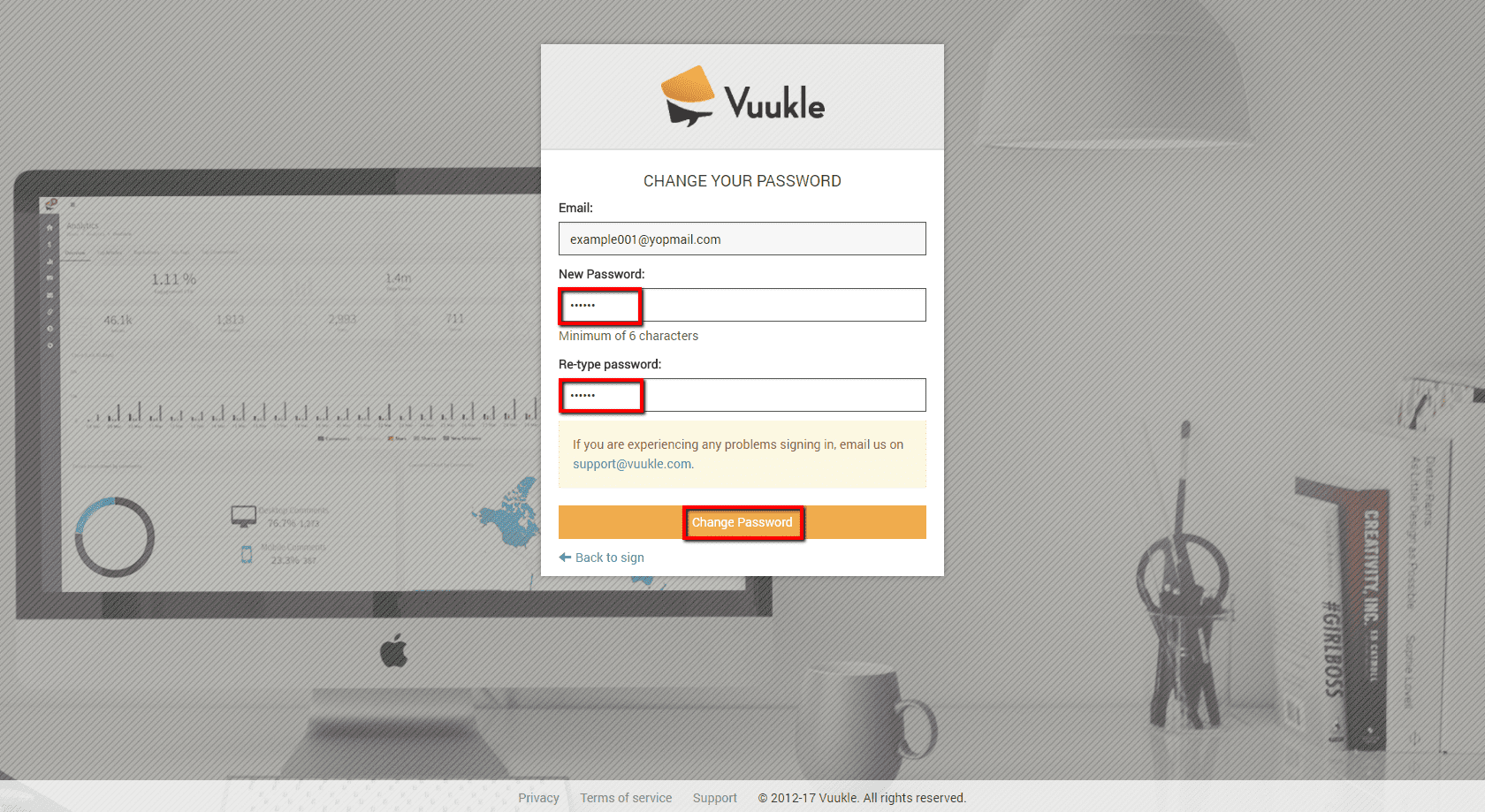
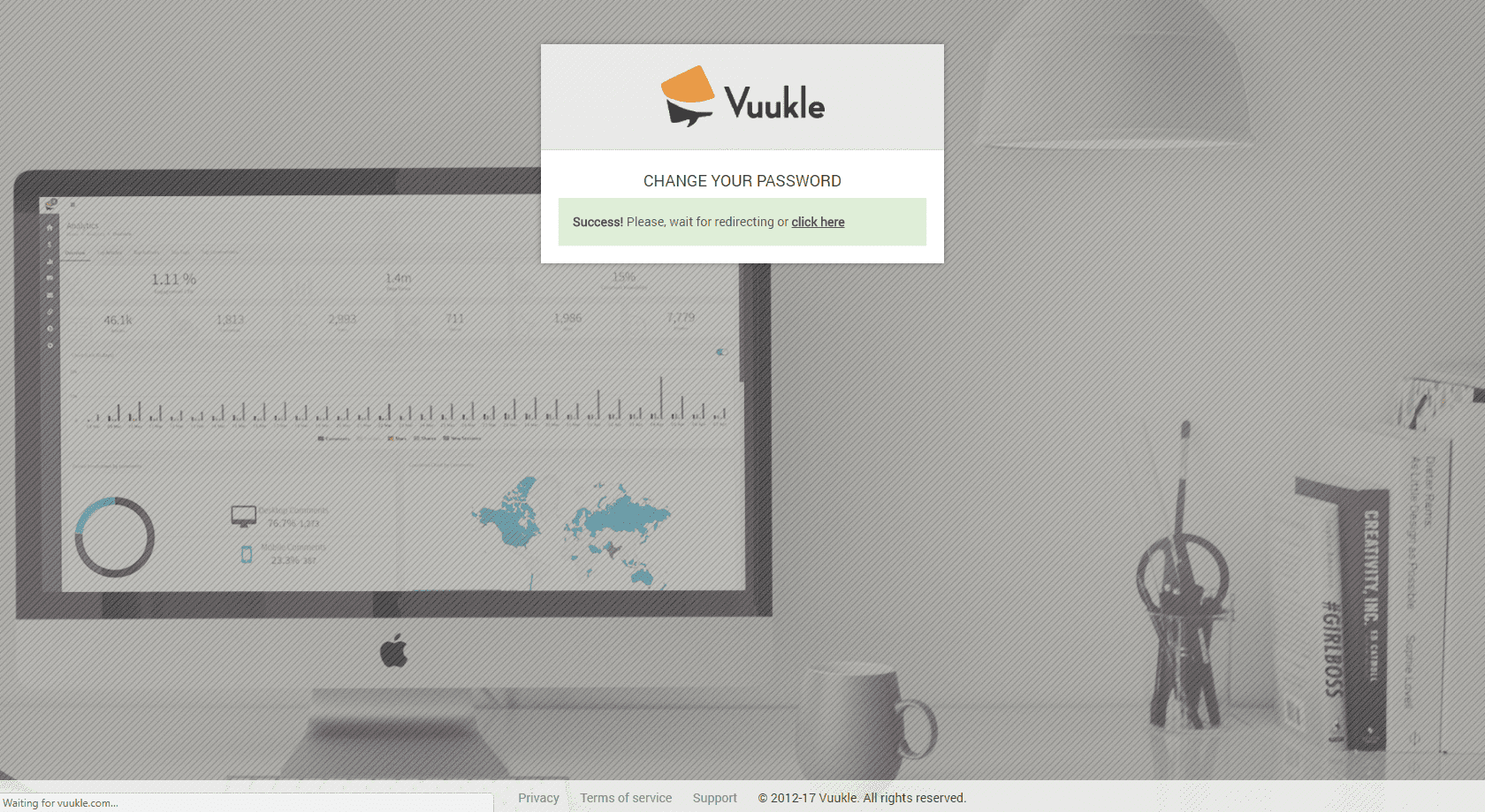
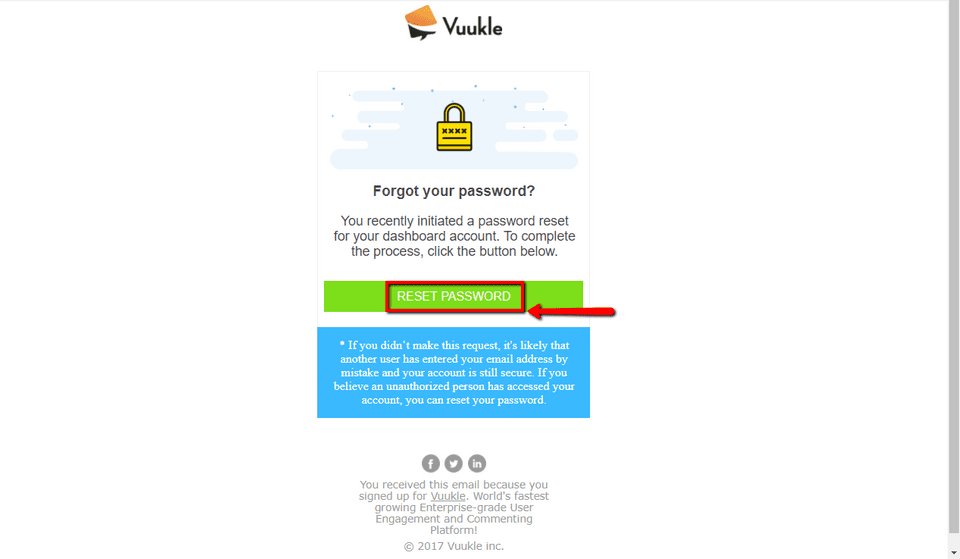
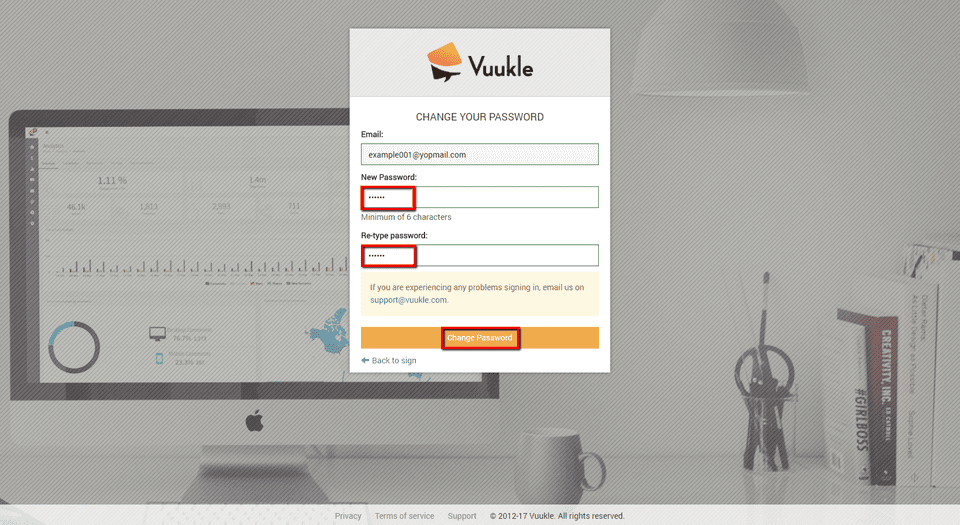
You will receive an email with button you should click in order to open form to enter your new password. Your password recovering process is finished once you click Change Password and see confirmation screen.
Recover Vuukle login password – Step by step instruction with screenshots
-
Click “Forgot your password?” on Sign In screen
-
Enter your e-mail address, and click Recover
- Check your e-mail and open “Reset your password message”

-
Click on button in your e-mail message
- Enter new password, retype it, and click Change Password
-
You will see this confirmation screen once your password is recovered