Need help with Vuukle?🤔
This is the place you are looking for!
PowerBar widget and everything you need to know about it
widgetspowerbarwordpressjavascriptbloggerUpdated over a month ago

HOW TO ENABLE
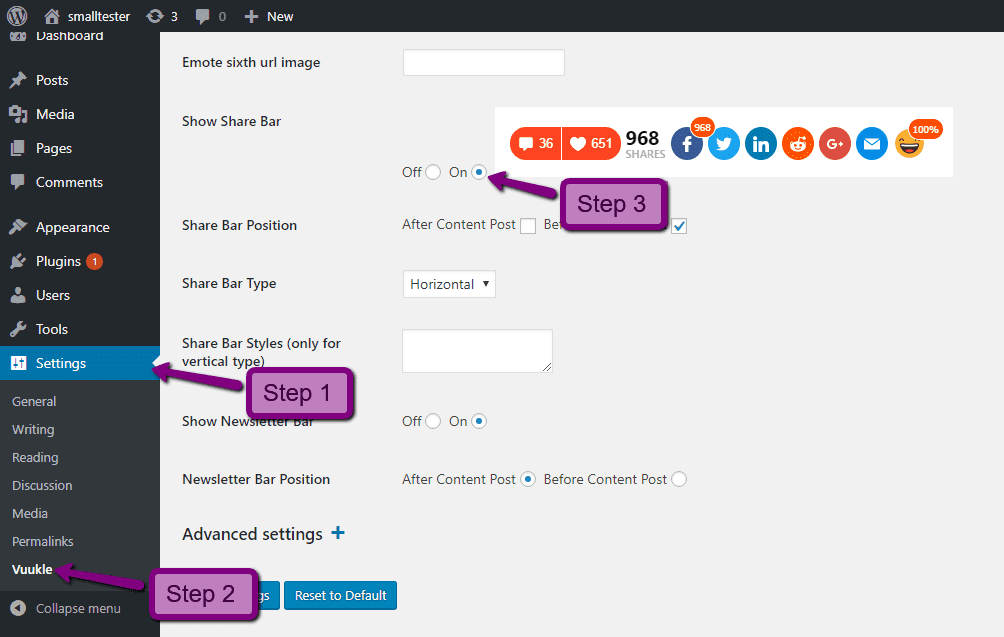
Enable Vuukle PowerBar widget using WordPress plugin:
In your WordPress Admin panel, go into Settings > Vuukle and choose On for Show Share Bar
For Blogger:
In your Blogger dashboard, go into Layout tab, edit the Vuukle HTML/JavaScript widget and insert the shortcode [vuukle-powerbar]. Then click the Save button.
For JavaScript:
In your website’s HTML, insert the following code where you want the PowerBar widget to display
<div class="vuukle-powerbar"></div>
<div class="vuukle-powerbar-vertical"></div> - Use this div for vertical mode
HOW TO CUSTOMIZE
JS variables:
powerbar: { enabled: false, //Enables PowerBar widget on the page defaultEmote: 2, //Setting shown emote by default verticalPosition: '400px', //
Space from top for veritcal powerbar
WordPress Settings
Wordpress Powerbar Settings:
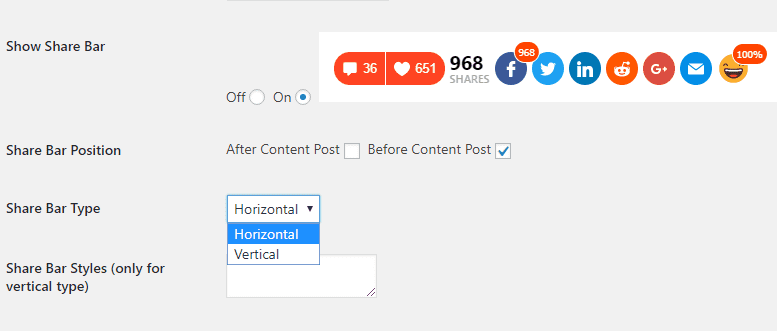
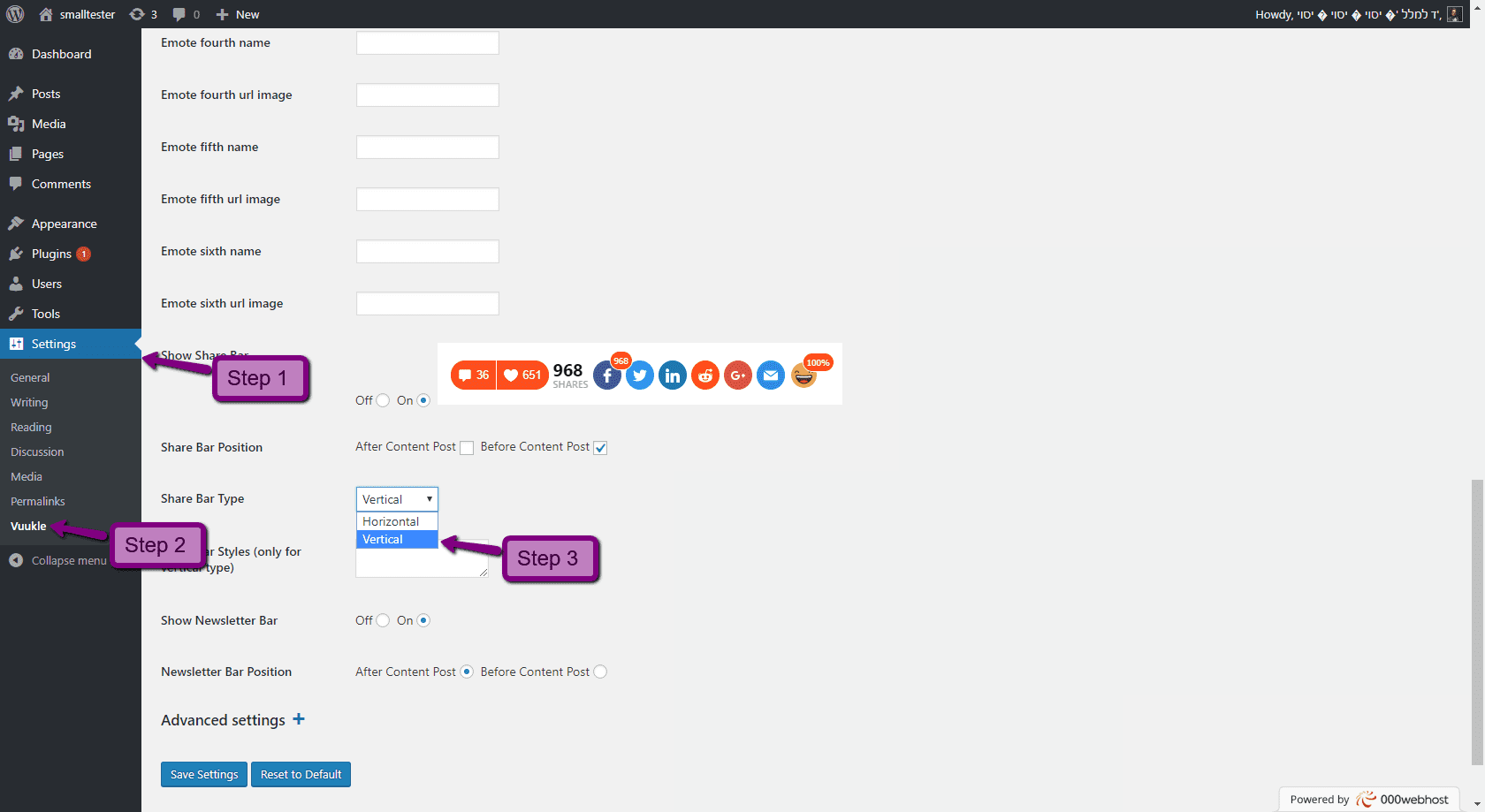
Change PowerBar widget type using WordPress plugin:
In your WordPress Admin panel, go into Settings > Vuukle, click on the Share Bar Type settings and choose Vertical.
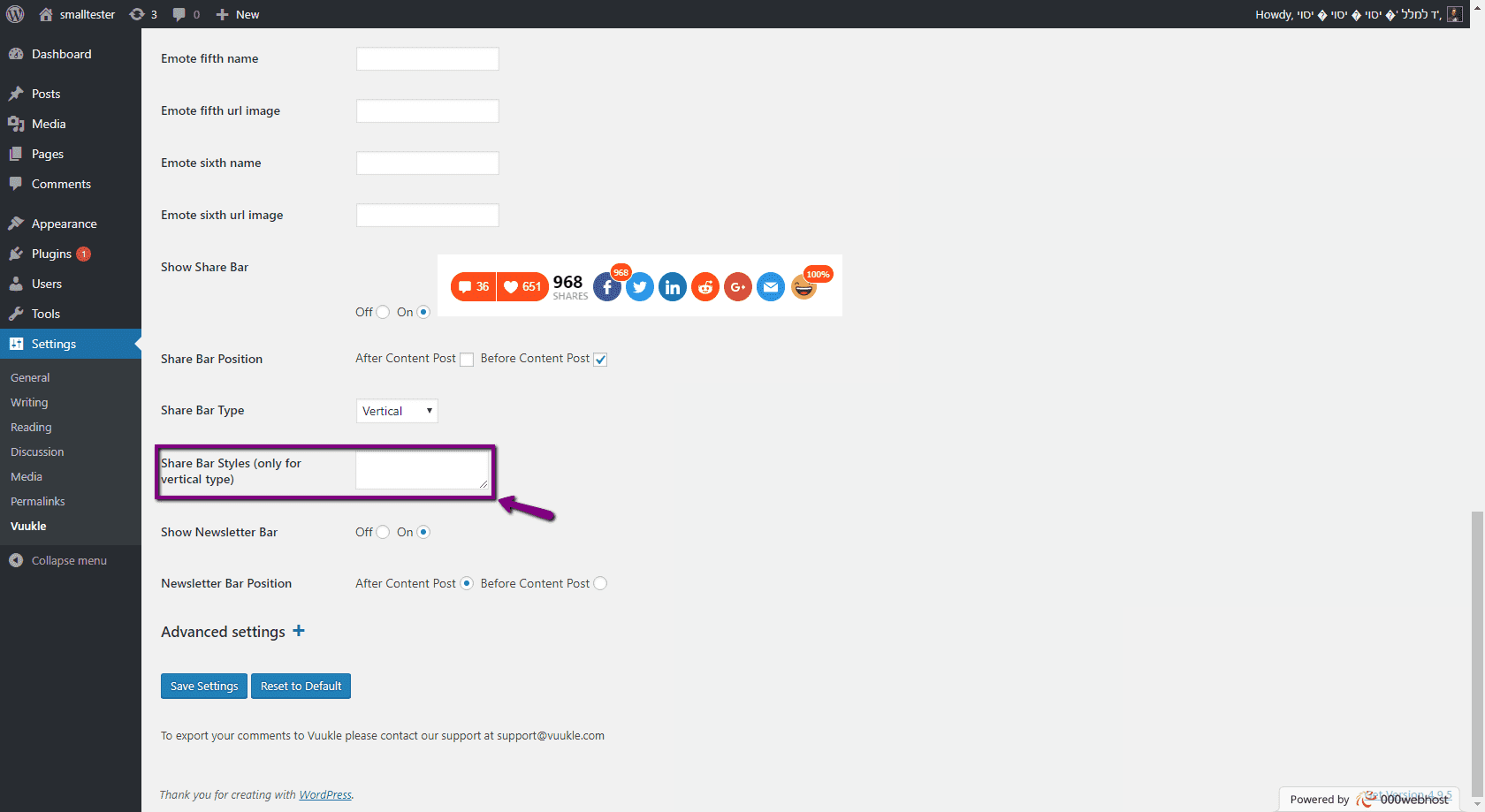
Put CSS styles for Share Bar Styles (only for vertical type) to place the PowerBar as you like