Need help with Vuukle?🤔
This is the place you are looking for!
You can view all your notifications in your Vuukle account or through the comment widget.
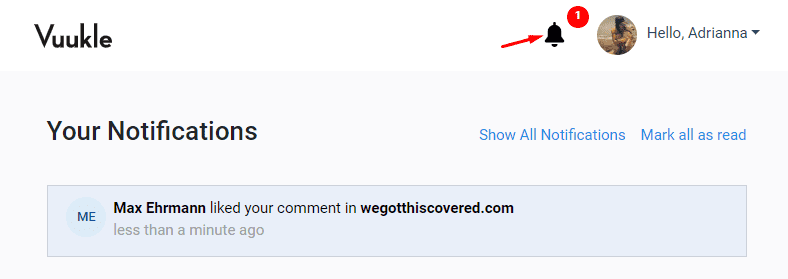
How to view notifications in your Vuukle account
- Log in to your Vuukle account
- Click the notifications icon beside your avatar
Whenever you have new notifications an alert is displayed with the number of new notifications
How to view notifications through the comment widget
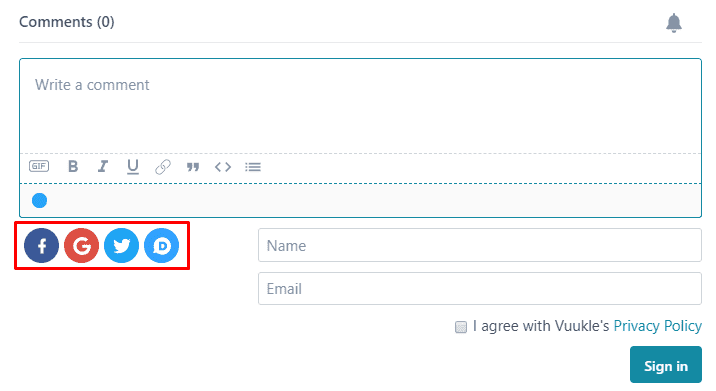
Alternatively, you can access your notifications through the comment widget.
- Log in through the comment widget, click the social media account you want to log in with
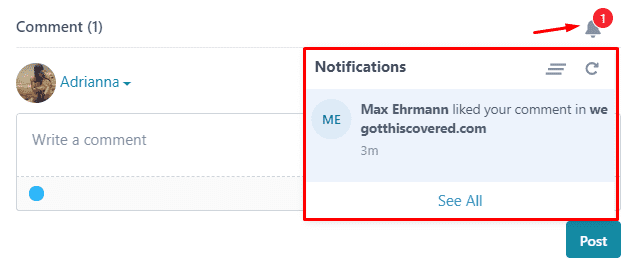
- Click the notifications icon on the top right corner of the comment box
- A pop-up will be displayed with your most recent notification
- Click “See All” to view all notifications in your Vuukle account
Related Article: How to do I turn on/off email notifications?