Need help with Vuukle?🤔
This is the place you are looking for!
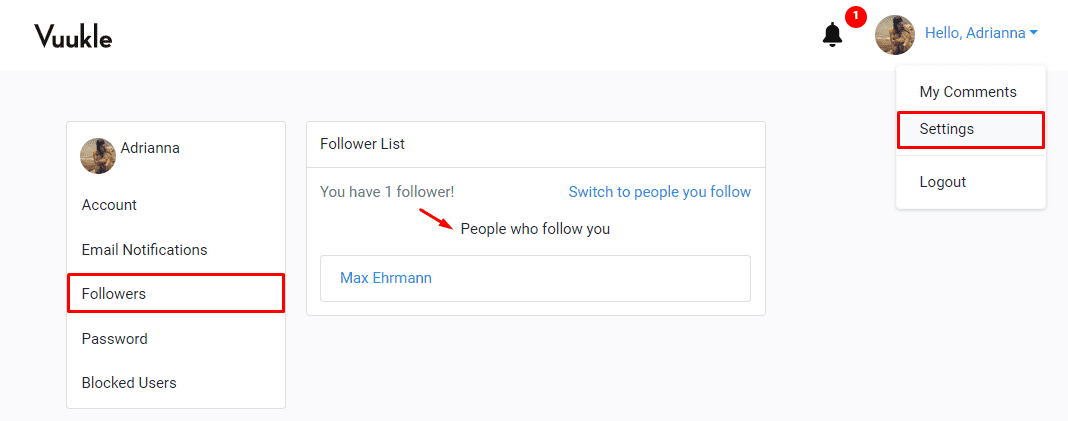
To view people who are following you,
- Log in to your Vuukle account
- Select “Settings” from the avatar dropdown at the top right corner of the screen
- Click the “Followers” tab from the left hand panel
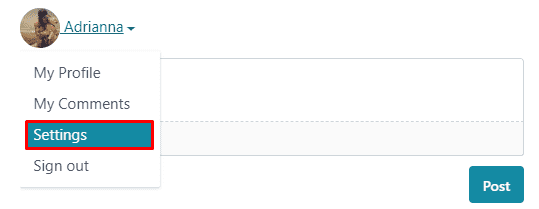
Alternatively, you can log in through the comment widget to access your settings.
Related Articles: